---
title: "Free open-source mock data generator for your next project"
excerpt: "Need realistic streaming data for testing? Mockingbird generates mock data to any destination. Use the CLI, UI, or library. Free."
authors: "Alasdair Brown"
categories: "Product updates"
createdOn: "2023-09-25 00:00:00"
publishedOn: "2023-04-20 00:00:00"
updatedOn: "2025-04-24 00:00:00"
status: "published"
---

<p>When you build a data project, you often need some source of non-production data that you can use to develop against, find edge cases, and test performance at scale.</p><p>In the batch world, it’s common to simply upload a massive CSV file, but this doesn’t work for real-time and streaming applications. You need to be able to generate a constant stream of data that emulates the real world, both in terms of data schema and generation frequency.</p><p>There are plenty of public APIs that you can use to build demo applications or stress test infrastructure if you don’t need a data stream that follows your own custom schema or timing.</p><p>Some of my favorites for demos are:</p><ul><li><a href="https://carbonintensity.org.uk/">UK National Grid Carbon Intensity API</a></li><li><a href="https://en.wikipedia.org/w/api.php?action=help&amp;modules=feedrecentchanges">Wikipedia Recent Changes Feed</a></li><li><a href="https://www.iexexchange.io/products/market-data-connectivity">IEX Stock Market Data Feed</a></li><li><a href="https://docs.cloud.coinbase.com/exchange/docs/welcome#websocket-feed">Coinbase Crypto Market Data Feed</a></li></ul><p>These APIs and data sets are super helpful, and I’m grateful for those who maintain them. That said, I have no control over the schema and the data frequency, and if I’m building a project unrelated to carbon intensity, Wikipedia pages, stock markets, or crypto, these aren’t ideal. I need more control and precision. I need a mock data generator.</p>
<!--kg-card-begin: html-->
<blockquote>Public data sets and APIs can be helpful for prototyping, but you don't have any control over the data schema and how often data is generated.</blockquote>
<!--kg-card-end: html-->
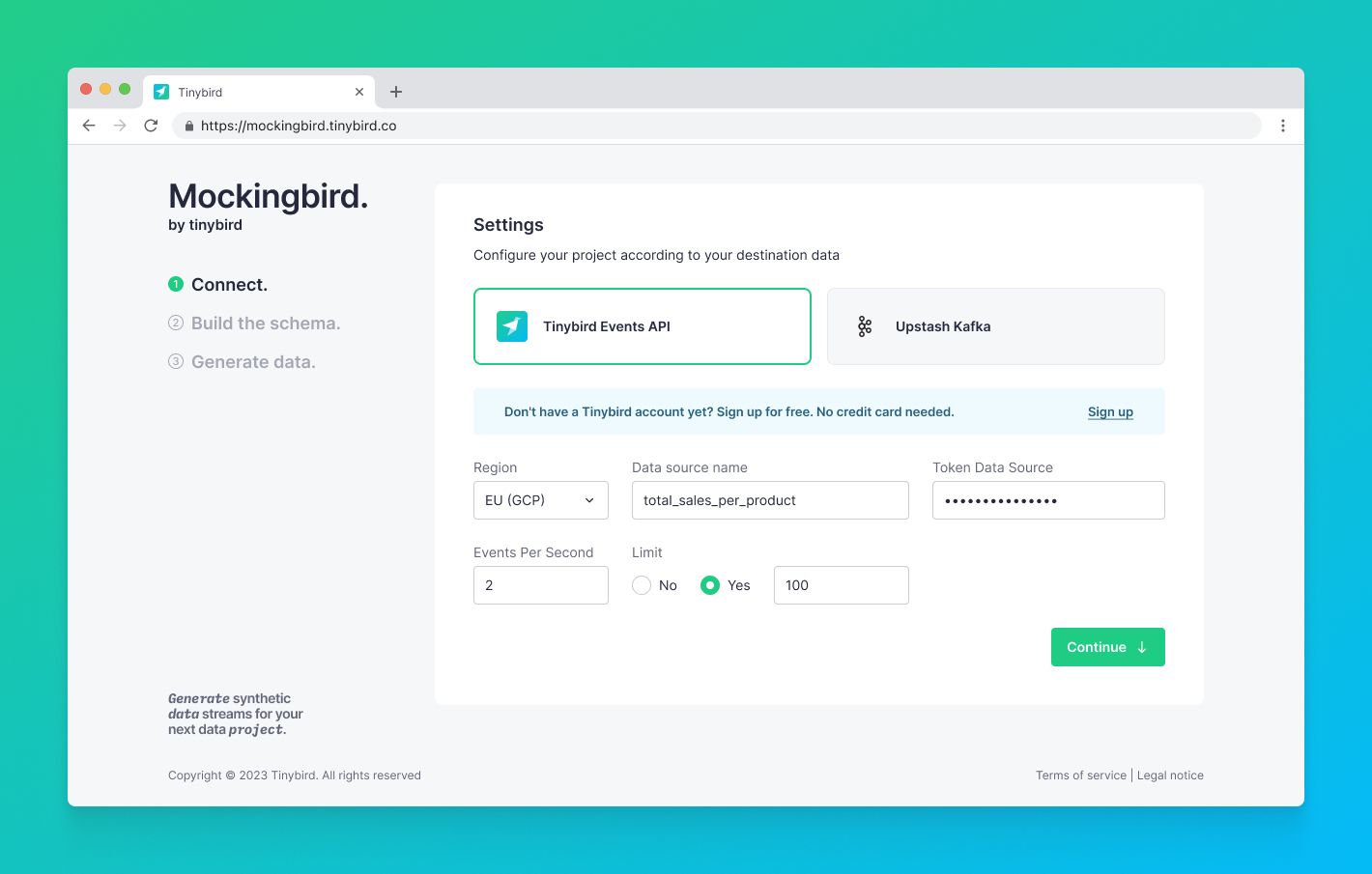
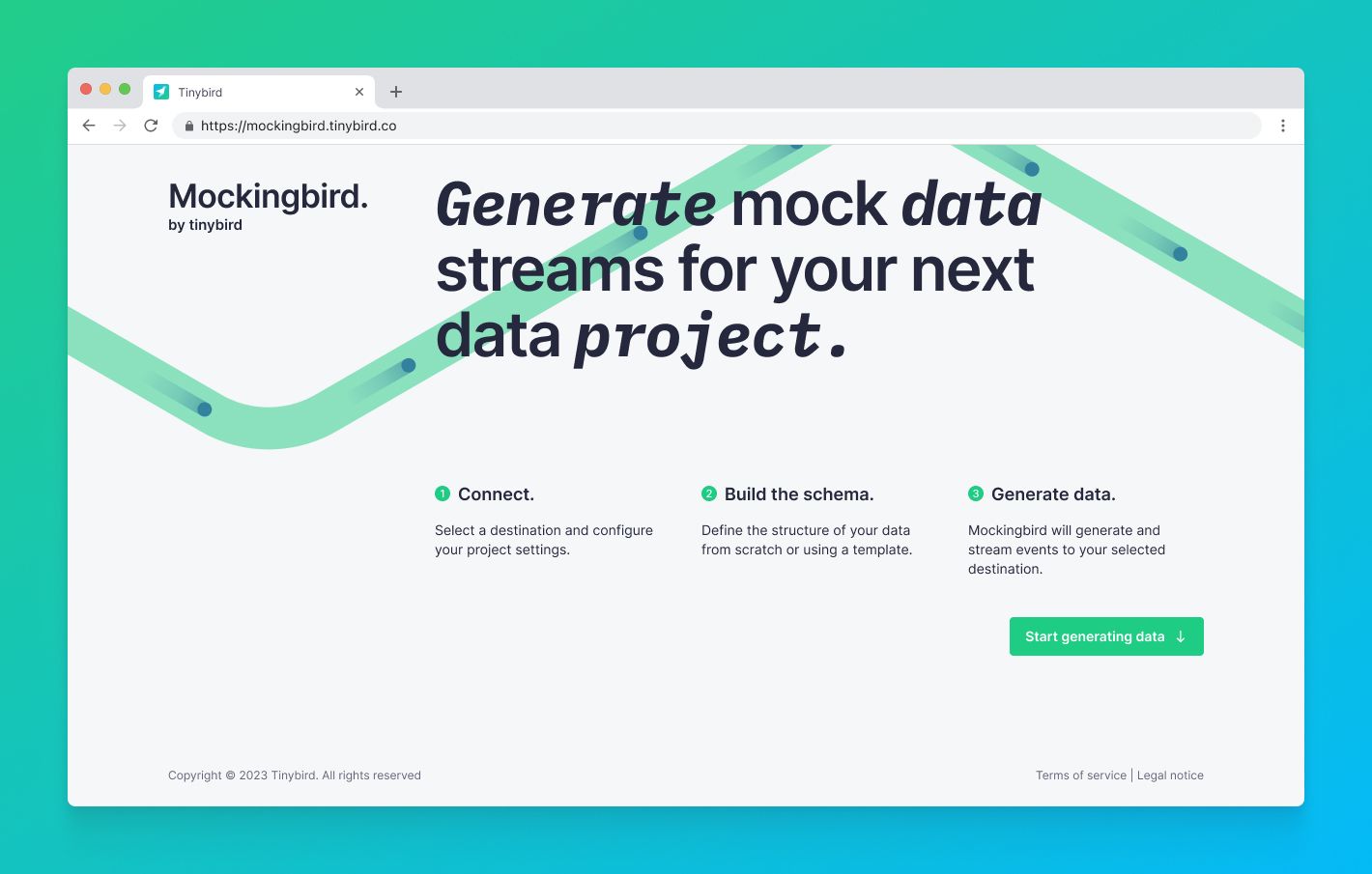
<p>In Tinybird, you can ingest data from a number of different sources. Whether you’re streaming from Kafka, importing from BigQuery, or just uploading a simple CSV file, Tinybird gives you the power to capture events and dimensions from those sources, query and enrich them with SQL, and publish your queries as low-latency, parameterized HTTP APIs to power your applications.</p><p>But there are loads of reasons why you might want to use mock data. You might still be evaluating the service and don’t want to use your own data yet, or you don’t want to use real data in development environments, or perhaps you’re still building the rest of your streaming pipeline.</p><p>In that case, you need a simple, serverless tool to define both your schema and generation frequency with absolute precision.</p><p>You need <em>Mockingbird.</em></p><h2 id="mockingbird-a-free-open-source-mock-data-generator">Mockingbird: A free, open source mock data generator</h2><p>Today, we introduce Mockingbird, a flexible, FOSS mock data generator to stream data to both Tinybird and other destinations. With Mockingbird, you can define a data schema in JSON, set the data generation frequency, and start streaming mock data based on your schema to any HTTP-enabled streaming endpoint.</p><p>We originally built Mockingbird to help us create demos for Tinybird, but we understood we couldn’t be the only ones who needed a better source of mock data. So, we’ve chosen not to limit the destinations of your data to just Tinybird.</p><p>Mockingbird is free and open source, and <strong>new destinations can be added by anyone</strong>, including the community and other vendors, by creating new Destination plugins.</p><p>With today’s launch, two Destinations are supported:</p><ol><li><a href="https://www.tinybird.co/docs/ingest/events-api.html">Tinybird Events API</a></li><li><a href="https://docs.upstash.com/kafka/restproducer">Upstash Kafka REST Producer API</a></li></ol><h3 id="headless-library-cli-or-ui">Headless library, CLI, or UI</h3><p>Mockingbird is licensed under the Apache 2.0 license, and the source is <a href="https://github.com/tinybirdco/mockingbird">publicly available on GitHub</a>. It is designed to be flexible and work in a variety of different scenarios.</p><p>To that end, it is available as a headless library, a CLI, and a UI. You can embed the library in your own custom project, use the CLI as part of a CI/CD pipeline, or interactively run ad-hoc tests from the UI.</p><p>Here are links to each of your options:</p><ol><li><a href="https://www.npmjs.com/package/@tinybirdco/mockingbird">Install the library with npm</a></li><li><a href="https://www.npmjs.com/package/@tinybirdco/mockingbird-cli">Install the CLI</a></li><li><a href="https://mockingbird.tinybird.co/">Use the UI</a> (you’re welcome to host your own, too!)</li></ol><h3 id="define-your-schema-in-json">Define your schema in JSON</h3><p>With Mockingbird, you define a schema for your events in JSON. We’ve already included a whole bunch of predefined Data Types so you can generate data in just about every way imaginable, but if there’s something missing, <strong>we welcome anyone to contribute new Data Types</strong> to meet their needs.</p><p>We’ve also created a library of preset schema templates for you to use, either as-is or as a starting point to customize. Again, everyone is welcome to contribute new schema templates to meet common use cases.</p><h3 id="sending-mock-data-to-the-tinybird-events-api">Sending mock data to the Tinybird Events API</h3><p>To send data to Tinybird, Mockingbird uses the Tinybird <a href="https://www.tinybird.co/docs/guides/ingest-from-the-events-api.html">Events API</a>, which offers a few unique advantages:</p><ul><li><strong>It’s easy</strong>. The Events API is just an HTTP endpoint, so you don’t have to worry about any languages or client-side dependencies. Just define your JSON and issue the request. Of course, Mockingbird takes care of this for you if you choose the Events API as a destination.</li><li><strong>It’s flexible</strong>. You can send events to an existing Tinybird Data Source, or automatically generate a new one. The Events API will automatically generate a Data Source with an optimal schema based on the JSON you build.</li><li><strong>It’s fast</strong>. The Tinybird Events API can handle up to 1,000 requests per second out of the box so that you can stream large amounts of data quickly.</li></ul><h3 id="sending-mock-data-to-external-destinations">Sending mock data to external Destinations</h3><p>Mockingbird doesn’t just generate mock data to send to Tinybird. You can also send it to supported third-party Destinations. The initial release includes support for the <a href="https://docs.upstash.com/kafka/restproducer">Upstash Kafka REST Producer API</a> as an alternative Destination.</p><p>If you want to see more Destinations supported, you have two options:</p><ol><li>Submit an issue in the <a href="https://github.com/tinybirdco/mockingbird">GitHub repository</a> for the community to consider.</li><li>Contribute one! It’s open-source, after all.</li></ol><h2 id="how-to-use-mockingbird-to-generate-mock-data">How to use Mockingbird to generate mock data</h2><p>First, navigate to <a href="https://mockingbird.tinybird.co">mockingbird.tinybird.co</a>.</p><figure class="kg-card kg-image-card kg-card-hascaption"><img src="https://tinybird-blog.ghost.io/content/images/2023/09/643ee90099de84a931e8435f_mockingbird_home-9.jpg" class="kg-image" alt="" loading="lazy" width="1420" height="905" srcset="https://tinybird-blog.ghost.io/content/images/size/w600/2023/09/643ee90099de84a931e8435f_mockingbird_home-9.jpg 600w, https://tinybird-blog.ghost.io/content/images/size/w1000/2023/09/643ee90099de84a931e8435f_mockingbird_home-9.jpg 1000w, https://tinybird-blog.ghost.io/content/images/2023/09/643ee90099de84a931e8435f_mockingbird_home-9.jpg 1420w" sizes="(min-width: 720px) 720px"><figcaption><span style="white-space: pre-wrap;">We offer theMockingbird project as a hosted UI, but feel free to make it your own with the headless library.</span></figcaption></figure><p>Next, enter your Destination settings based on your chosen Destination. If you choose Tinybird as a Destination, this will include a Data Source name (existing or new), a token with <code>DATASOURCE:WRITE</code> scope, your Workspace host, and the number of events you want to send per second.</p><figure class="kg-card kg-image-card kg-card-hascaption"><img src="https://tinybird-blog.ghost.io/content/images/2023/09/6439a1fd8f14c9eaaff6a34b_9K2fQ6_KO2fX74qsKG1v8m0-dlfGL9R8S5o2njZXHbpEZCrwPpJ09ucOVvAsNn5Q5yPSqNXlwfVng_RVUWWowCR-QH9R0hEhHSEphqTrBXz5RYNr8Sh8hWE_VWLWuPnZ-NwQNcOPu-LSuytrPz6_ZG4-9.jpeg" class="kg-image" alt="A screenshot showing mock data streaming destinations in Mockingbird" loading="lazy" width="1420" height="905" srcset="https://tinybird-blog.ghost.io/content/images/size/w600/2023/09/6439a1fd8f14c9eaaff6a34b_9K2fQ6_KO2fX74qsKG1v8m0-dlfGL9R8S5o2njZXHbpEZCrwPpJ09ucOVvAsNn5Q5yPSqNXlwfVng_RVUWWowCR-QH9R0hEhHSEphqTrBXz5RYNr8Sh8hWE_VWLWuPnZ-NwQNcOPu-LSuytrPz6_ZG4-9.jpeg 600w, https://tinybird-blog.ghost.io/content/images/size/w1000/2023/09/6439a1fd8f14c9eaaff6a34b_9K2fQ6_KO2fX74qsKG1v8m0-dlfGL9R8S5o2njZXHbpEZCrwPpJ09ucOVvAsNn5Q5yPSqNXlwfVng_RVUWWowCR-QH9R0hEhHSEphqTrBXz5RYNr8Sh8hWE_VWLWuPnZ-NwQNcOPu-LSuytrPz6_ZG4-9.jpeg 1000w, https://tinybird-blog.ghost.io/content/images/2023/09/6439a1fd8f14c9eaaff6a34b_9K2fQ6_KO2fX74qsKG1v8m0-dlfGL9R8S5o2njZXHbpEZCrwPpJ09ucOVvAsNn5Q5yPSqNXlwfVng_RVUWWowCR-QH9R0hEhHSEphqTrBXz5RYNr8Sh8hWE_VWLWuPnZ-NwQNcOPu-LSuytrPz6_ZG4-9.jpeg 1420w" sizes="(min-width: 720px) 720px"><figcaption><span style="white-space: pre-wrap;">Mockingbird allows you to stream mock data to Tinybird or to external destinations. As of this launch, Upstash Kafka is supported as an alternative Destination. Community members can easily add new Destinations to the library.</span></figcaption></figure>
<!--kg-card-begin: html-->
<div class="tip-box"><div class="tip-box-container"><div class="tip-box-title">Note</div><div class="tip-box-content">If you haven’t created a Tinybird Workspace, you can set up your first one at <a href="https://app.tinybird.co">https://app.tinybird.co</a>.</div></div></div>
<!--kg-card-end: html-->
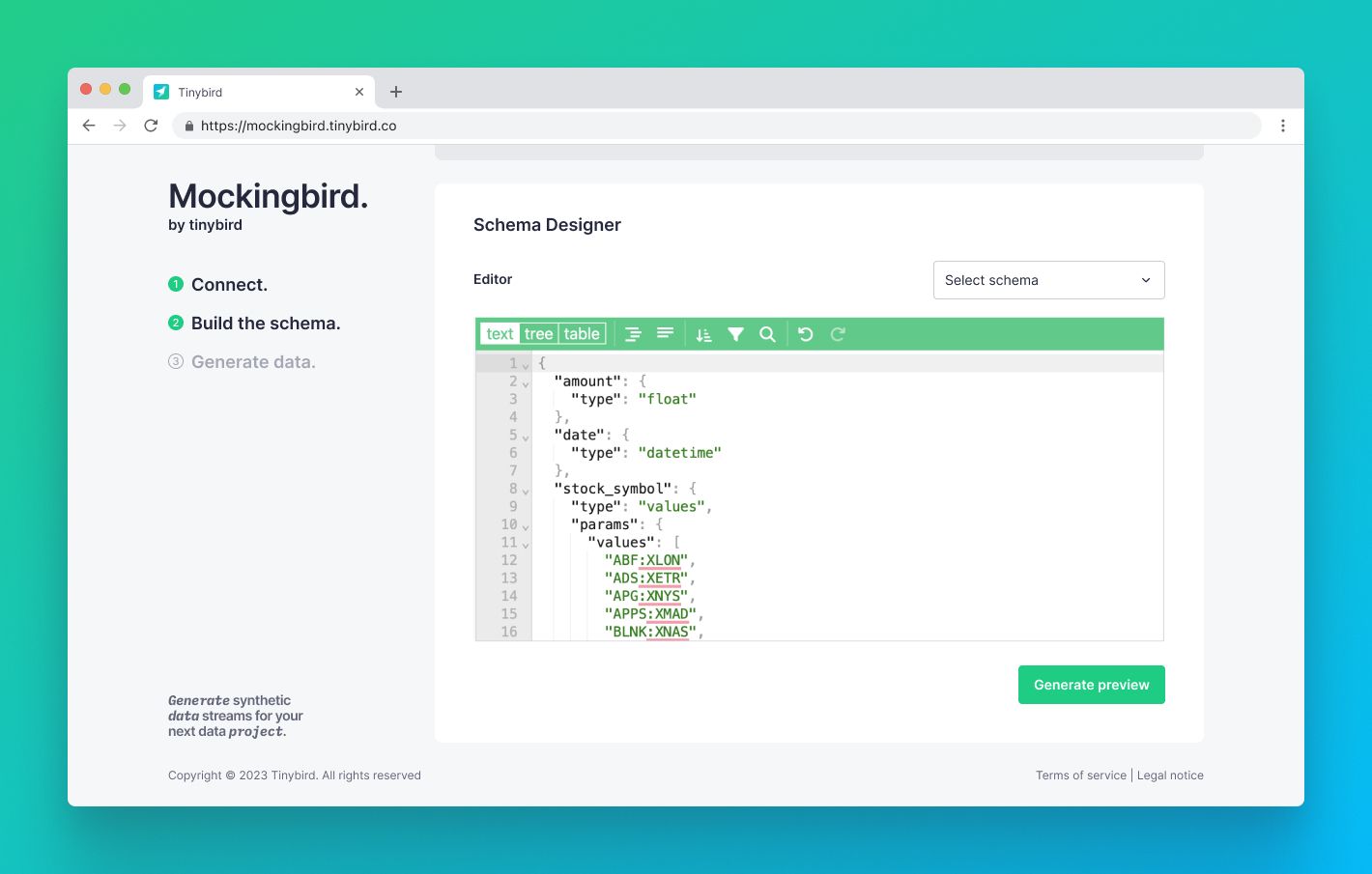
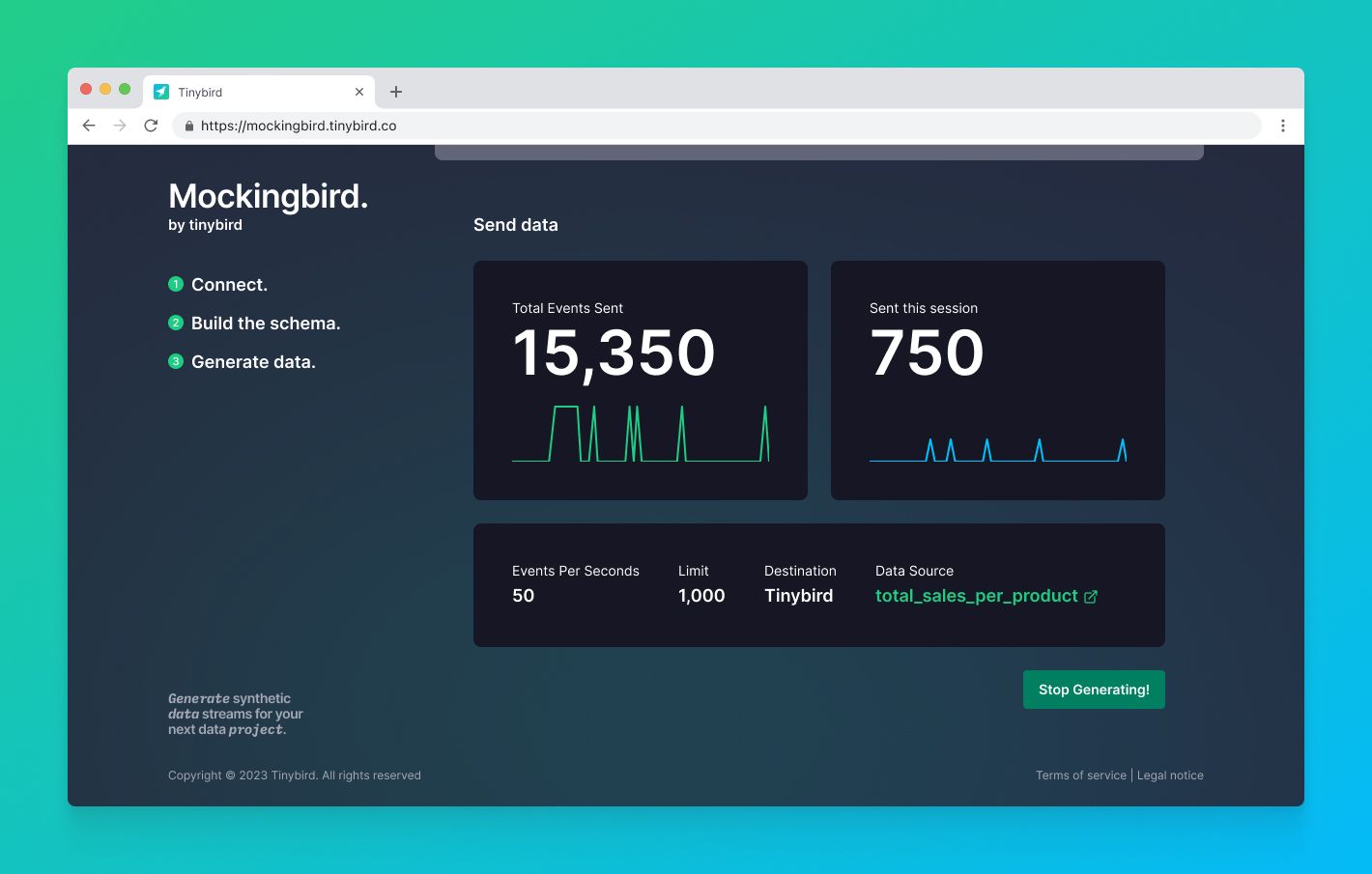
<p>Then, create your JSON schema. You can also choose from any of our pre-existing templates and either use them as is or modify them as needed. When you click Save, you’ll see a preview of the JSON payload that will be sent to the Destination.</p><figure class="kg-card kg-image-card kg-card-hascaption"><img src="https://tinybird-blog.ghost.io/content/images/2023/09/6439a1fdcc66ba269f9c6da5_rKSzemH7p5RZXd1VFx5OdLK88OGndKsPObLHvCu65ynYxn6n7IXpUqD4i7Jiv8u5Pkb0sYi2q6HS0m832YPpiMUc7dFCWwsyduU4I1j9g56rB3chlnsDPRcVa5Eq9wvijlSsNATt6QCt1iyw4dgA4Gc-9.jpeg" class="kg-image" alt="A screenshot showing mock data schema generation in JSON" loading="lazy" width="1420" height="905" srcset="https://tinybird-blog.ghost.io/content/images/size/w600/2023/09/6439a1fdcc66ba269f9c6da5_rKSzemH7p5RZXd1VFx5OdLK88OGndKsPObLHvCu65ynYxn6n7IXpUqD4i7Jiv8u5Pkb0sYi2q6HS0m832YPpiMUc7dFCWwsyduU4I1j9g56rB3chlnsDPRcVa5Eq9wvijlSsNATt6QCt1iyw4dgA4Gc-9.jpeg 600w, https://tinybird-blog.ghost.io/content/images/size/w1000/2023/09/6439a1fdcc66ba269f9c6da5_rKSzemH7p5RZXd1VFx5OdLK88OGndKsPObLHvCu65ynYxn6n7IXpUqD4i7Jiv8u5Pkb0sYi2q6HS0m832YPpiMUc7dFCWwsyduU4I1j9g56rB3chlnsDPRcVa5Eq9wvijlSsNATt6QCt1iyw4dgA4Gc-9.jpeg 1000w, https://tinybird-blog.ghost.io/content/images/2023/09/6439a1fdcc66ba269f9c6da5_rKSzemH7p5RZXd1VFx5OdLK88OGndKsPObLHvCu65ynYxn6n7IXpUqD4i7Jiv8u5Pkb0sYi2q6HS0m832YPpiMUc7dFCWwsyduU4I1j9g56rB3chlnsDPRcVa5Eq9wvijlSsNATt6QCt1iyw4dgA4Gc-9.jpeg 1420w" sizes="(min-width: 720px) 720px"><figcaption><span style="white-space: pre-wrap;">Mockingbird allows you to define a mock data schema in JSON and preview your final schema before streaming to your destination.</span></figcaption></figure><p>When you’re happy with your schema, click Start Generating, and you’ll begin streaming events to your Destination. You’ll be able to monitor, pause, and resume your mock data streaming while it executes.</p><figure class="kg-card kg-image-card kg-card-hascaption"><img src="https://tinybird-blog.ghost.io/content/images/2023/09/6439a1fdcd68c983a268accd_9UE4Cyy1bPt2EpbamH5DoqZlHfntY7BY_XPKq1-zItv30y0zD6bVmWgRdfMuxKd41XGt8esXA4cqRsEapbqmC6rtdVjkrApkRbKqCpnwlFvJK9xCXG35sOYH2fwDD25mFilT0TyE7UJ6vbEpv-6pjek-9.jpeg" class="kg-image" alt="A screenshot showing mock data being generated and streamed using Mockingbird." loading="lazy" width="1420" height="905" srcset="https://tinybird-blog.ghost.io/content/images/size/w600/2023/09/6439a1fdcd68c983a268accd_9UE4Cyy1bPt2EpbamH5DoqZlHfntY7BY_XPKq1-zItv30y0zD6bVmWgRdfMuxKd41XGt8esXA4cqRsEapbqmC6rtdVjkrApkRbKqCpnwlFvJK9xCXG35sOYH2fwDD25mFilT0TyE7UJ6vbEpv-6pjek-9.jpeg 600w, https://tinybird-blog.ghost.io/content/images/size/w1000/2023/09/6439a1fdcd68c983a268accd_9UE4Cyy1bPt2EpbamH5DoqZlHfntY7BY_XPKq1-zItv30y0zD6bVmWgRdfMuxKd41XGt8esXA4cqRsEapbqmC6rtdVjkrApkRbKqCpnwlFvJK9xCXG35sOYH2fwDD25mFilT0TyE7UJ6vbEpv-6pjek-9.jpeg 1000w, https://tinybird-blog.ghost.io/content/images/2023/09/6439a1fdcd68c983a268accd_9UE4Cyy1bPt2EpbamH5DoqZlHfntY7BY_XPKq1-zItv30y0zD6bVmWgRdfMuxKd41XGt8esXA4cqRsEapbqmC6rtdVjkrApkRbKqCpnwlFvJK9xCXG35sOYH2fwDD25mFilT0TyE7UJ6vbEpv-6pjek-9.jpeg 1420w" sizes="(min-width: 720px) 720px"><figcaption><span style="white-space: pre-wrap;">You can monitor, pause, and resume your mock data streams during your session.</span></figcaption></figure><p>And that’s it!</p><h2 id="start-streaming-mock-data-to-tinybird">Start streaming mock data to Tinybird</h2><p>For more info on Mockingbird, <a href="https://mockingbird.tinybird.co/docs">check out the docs</a>. You'll find information on Data Types, Destinations, and Schema building.</p><p>If you’re not yet a Tinybird customer, you can <a href="https://www.tinybird.co/signup" rel="noreferrer">sign up here</a>. The Tinybird Build Plan is free forever, with no time restrictions, no credit card required, and generous limits. If you need a little more, use the code <code>MOCKINGBIRD</code> for $300 off a Pro subscription.</p><p>Also, feel free to join the <a href="https://www.tinybird.co/join-our-slack-community">Tinybird Community on Slack</a> and ask us questions or request additional features.</p><p>And, if you’re keen to learn more about the Mockingbird FOSS project, join our Release Round-up at the end of this week. We’ll cover all the new features released this week, including Mockingbird, plus we’ll give away some amazing Tinybird swag from the new <a href="https://shop.tinybird.co">Tinybird Shop</a>. You can <a href="https://www.tinybird.co/live-coding-sessions/launch-week-2-release-roundup">sign up</a> to be notified when the Release Round-up starts.<br></p>