---
title: "New feature: sharing Data Sources across workspaces"
excerpt: "Sharing data sources across Workspaces enables team collaboration without duplication. One source, multiple consumers. Available now."
authors: "Tinybird"
categories: "Product updates"
createdOn: "2023-09-25 00:00:00"
publishedOn: "2021-08-04 00:00:00"
updatedOn: "2025-04-24 00:00:00"
status: "published"
---

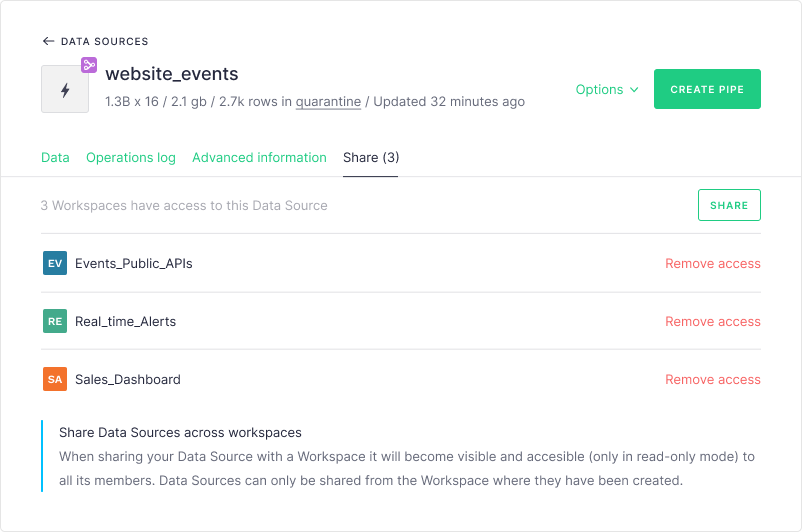
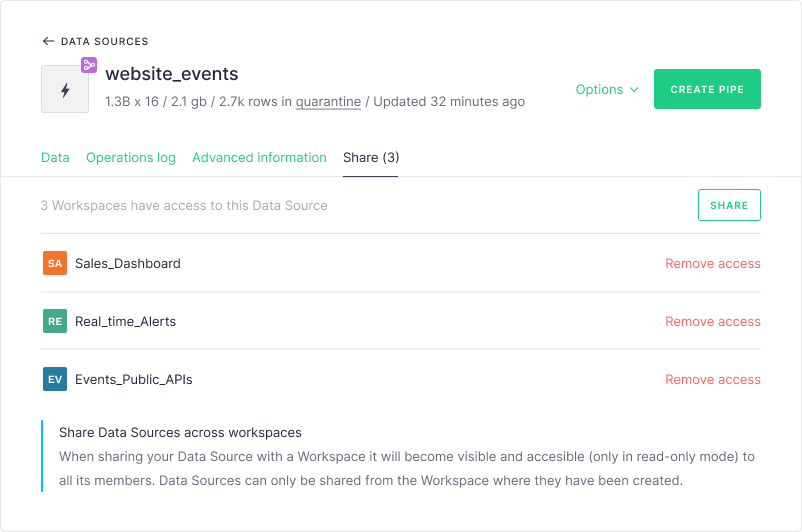
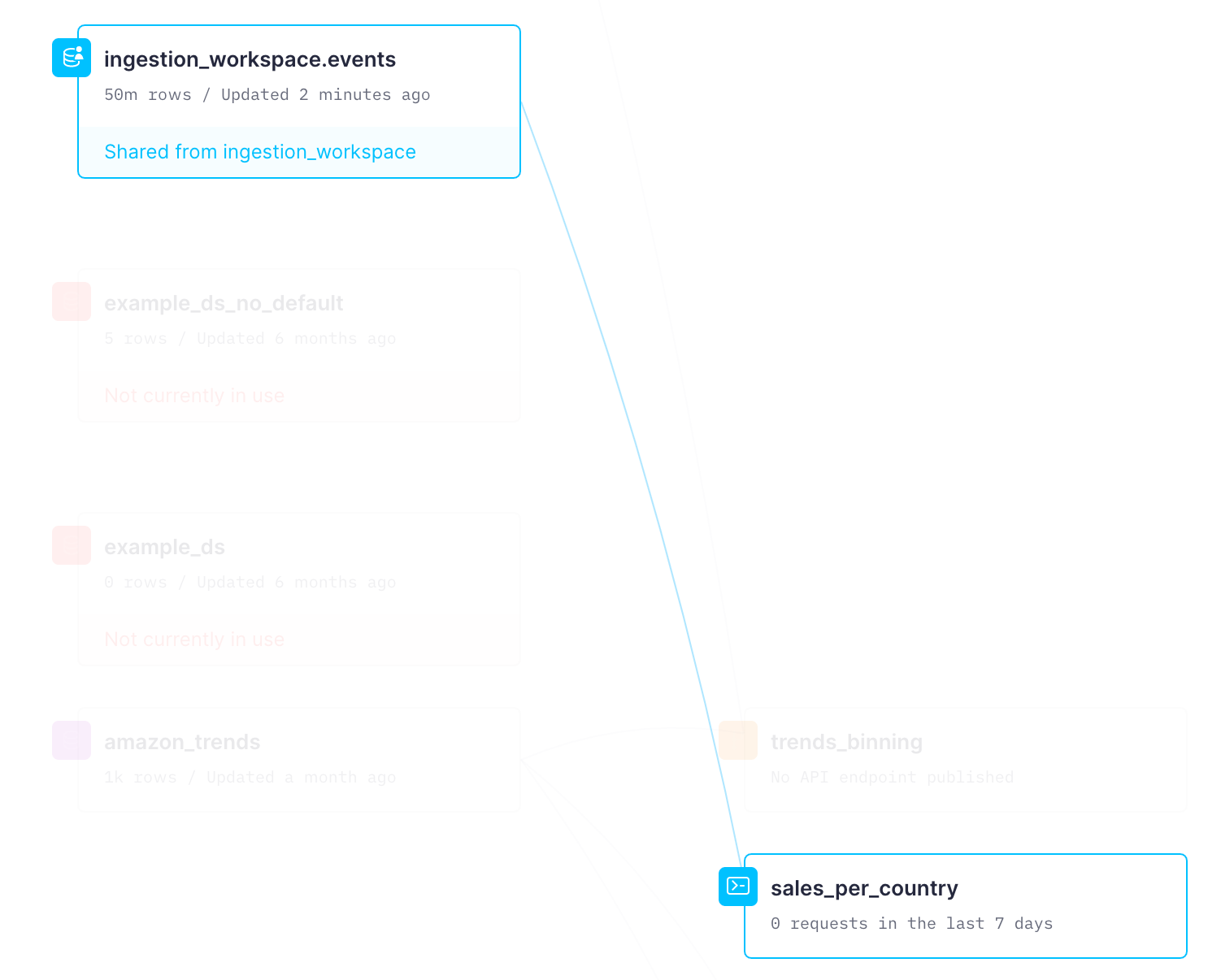
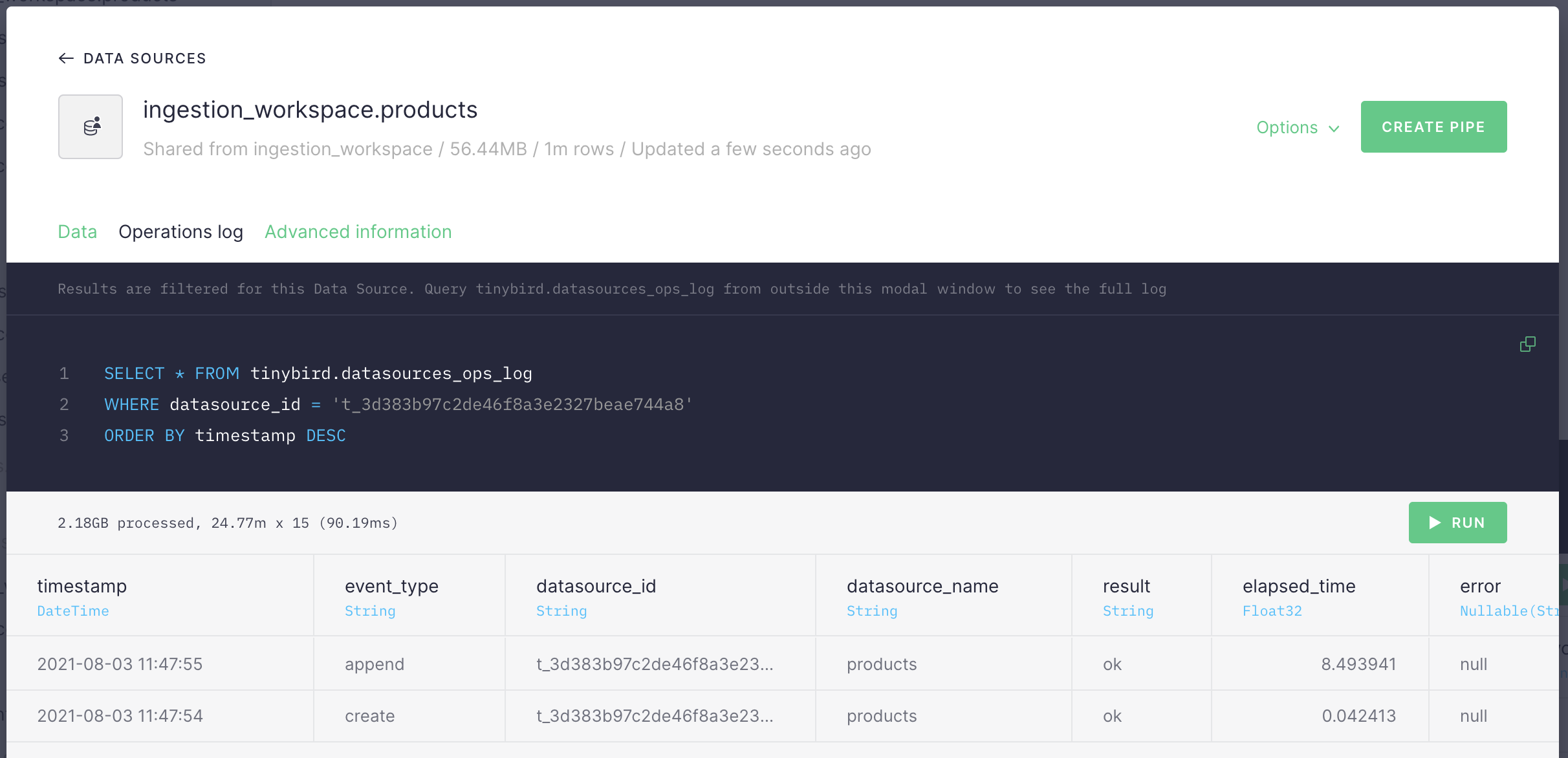
<p>We implemented <a href="https://blog.tinybird.co/2021/02/11/workspaces/">workspaces</a> to enable our customers to work on several different Data projects and/or to setup different working environments. Soon after, however, our customers started to ask about the possibility of sharing Data Sources across workspaces. The two main scenarios we’ve seen are:</p><ul><li>Teams who want to re-use data across different data projects (Real-time dashboards, Alerts…) or environments (Staging, Production…) in order to avoid having to re-ingest the same data twice. Especially important for big Data Sources and Data Sources that are transformed or materialized in specific ways.</li><li>Teams who want to separate responsibilities, so only part of the members are responsible for ingesting and maintaining data and others can exploit it.</li></ul><p>Starting today, sharing Data Sources across workspaces in a read-only way is possible with Tinybird.</p><p>With this feature you will be able to:</p><ul><li>Share Data Sources across workspaces one-by-one and in read-only mode (Shared Data Sources can’t be re-shared). A user can only share a Data Source with other workspaces she has access to, by entering the Workspace name or its ID.</li></ul><figure class="kg-card kg-image-card kg-card-hascaption"><img src="https://tinybird-blog.ghost.io/content/images/2023/09/6253d98462b90a0efb8edaa7_add-workspace-shared-data-source-11.png" class="kg-image" alt="You can share Data Sources with all the workspaces you're a member of" loading="lazy" width="802" height="532" srcset="https://tinybird-blog.ghost.io/content/images/size/w600/2023/09/6253d98462b90a0efb8edaa7_add-workspace-shared-data-source-11.png 600w, https://tinybird-blog.ghost.io/content/images/2023/09/6253d98462b90a0efb8edaa7_add-workspace-shared-data-source-11.png 802w" sizes="(min-width: 720px) 720px"><figcaption><span style="white-space: pre-wrap;">You can share Data Sources with all the workspaces you're a member of</span></figcaption></figure><ul><li>If in the origin Workspace, see which Data Sources are shared with who.</li></ul><figure class="kg-card kg-image-card kg-card-hascaption"><img src="https://tinybird-blog.ghost.io/content/images/2023/09/62562f16f992c6e5539d1de0_share-data-source-11.png" class="kg-image" alt="This is how a shared Data Source looks, from the workspaces that owns it" loading="lazy" width="802" height="532" srcset="https://tinybird-blog.ghost.io/content/images/size/w600/2023/09/62562f16f992c6e5539d1de0_share-data-source-11.png 600w, https://tinybird-blog.ghost.io/content/images/2023/09/62562f16f992c6e5539d1de0_share-data-source-11.png 802w" sizes="(min-width: 720px) 720px"><figcaption><span style="white-space: pre-wrap;">This is how a shared Data Source looks, from the workspaces that owns it</span></figcaption></figure><ul><li>Log sharing activity. Who, what, when, with who.</li><li>Use the workspace name as a namespace for the shared Data Sources, to ensure the right Data Source is used if there are name collisions.</li><li>Create Pipes or Materialized Views originating from shared Data Sources.</li><li>If in the destination Workspace, browse shared Data Sources using a specific visual language.</li></ul><figure class="kg-card kg-image-card kg-card-hascaption"><img src="https://tinybird-blog.ghost.io/content/images/2023/09/62562f16761f6941fc1ff6bd_shared-data-source-from-destination-11.png" class="kg-image" alt="Shared Data Sources have a special icon, visible both in the lateral bar as well as in the Data Flow graph" loading="lazy" width="1502" height="1206" srcset="https://tinybird-blog.ghost.io/content/images/size/w600/2023/09/62562f16761f6941fc1ff6bd_shared-data-source-from-destination-11.png 600w, https://tinybird-blog.ghost.io/content/images/size/w1000/2023/09/62562f16761f6941fc1ff6bd_shared-data-source-from-destination-11.png 1000w, https://tinybird-blog.ghost.io/content/images/2023/09/62562f16761f6941fc1ff6bd_shared-data-source-from-destination-11.png 1502w" sizes="(min-width: 720px) 720px"><figcaption><span style="white-space: pre-wrap;">Shared Data Sources have a special icon, visible both in the lateral bar as well as in the Data Flow graph</span></figcaption></figure><h2 id="caveats">Caveats</h2><ul><li>When sharing a Data Source with a Workspace, we will notify the users of the destination Workspace by email.</li><li>When renaming / deleting a shared Data Source from the origin Workspace, we will notify all users in workspaces where the Data Source is shared.</li><li>Data Sources can’t be shared using the CLI, for now. But we will display when we list the Data Sources if any of them is being shared.</li><li>Users that have access to a shared Data Source will have access to the tinybird.datasources_ops_log and the tinybird.kafka_ops_log Data Sources. It is important to provide as much information as possible to any customer who has access to the original Data Source.</li></ul><figure class="kg-card kg-image-card kg-card-hascaption"><img src="https://tinybird-blog.ghost.io/content/images/2023/09/625511be24ff2c8a29e54168_ops-log-shared-datasource-10.png" class="kg-image" alt="Read-only users can also query the tinybird.datasources_ops_log Data Source of a shared Data Source" loading="lazy" width="2000" height="967" srcset="https://tinybird-blog.ghost.io/content/images/size/w600/2023/09/625511be24ff2c8a29e54168_ops-log-shared-datasource-10.png 600w, https://tinybird-blog.ghost.io/content/images/size/w1000/2023/09/625511be24ff2c8a29e54168_ops-log-shared-datasource-10.png 1000w, https://tinybird-blog.ghost.io/content/images/size/w1600/2023/09/625511be24ff2c8a29e54168_ops-log-shared-datasource-10.png 1600w, https://tinybird-blog.ghost.io/content/images/size/w2400/2023/09/625511be24ff2c8a29e54168_ops-log-shared-datasource-10.png 2400w" sizes="(min-width: 720px) 720px"><figcaption><span style="white-space: pre-wrap;">Read-only users can also query the tinybird.datasources_ops_log Data Source of a shared Data Source</span></figcaption></figure><ul><li>It’s not possible for read-only users to check the quarantine of a Data Source. Having rows in quarantine is an ingestion problem, so the customer who has read access shouldn’t be worried about that, only about the “real” content.</li></ul><p>Would you like to check out this new feature? <a href="https://app.tinybird.co/" rel="noreferrer">Go to your account now</a>.</p><p>‍</p>