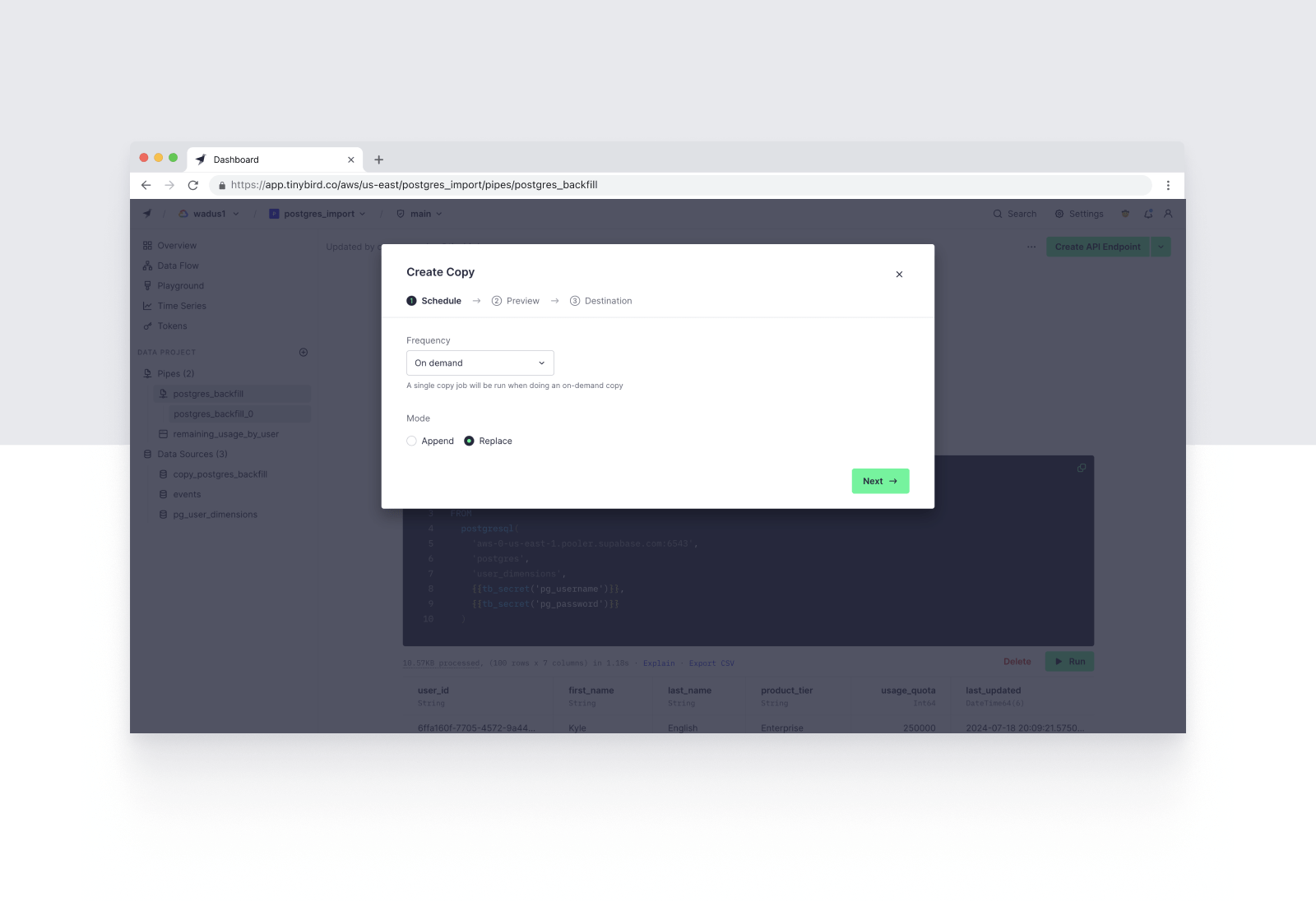
Today, we announce support for the PostgreSQL Table Function in Tinybird. You can now export table from PostgreSQL and sync data from your Postgres database into a Tinybird Data Source with just a few lines of SQL.
For example, the following SQL gets all columns from a remote Postgres table hosted on Supabase, passing the username and password as secrets, and filtering by rows with a greater stock_date than the maximum stock_date in the corresponding Tinybird Data Source, stock_prices.
You can run the PostgreSQL Table Function within Tinybird's Copy Pipes using a replace or append strategy to regularly bring data into Tinybird enrich your events with Postgres data.
Read on for more information about Tinybird's support for Postgres table imports, our reasons for supporting this feature, links to resources, and what's next.
PostgreSQL is the most popular database in the world, chosen by developers due to its ease of use, vanilla SQL, many deployment options, and broad community.
Postgres is the perfect "general purpose" database, and that's why SaaS builders choose it to underpin their applications.
To some extent, Postgres can even support analytics. At a relatively modest scale, however, Postgres begins to break down as an analytics database. There are plenty of extensions that can make Postgres more analytics-friendly.
Those implementations address part but not all of the problem: they may add columnar storage but still rely on the existing query engine, or they may scale vertically on a single node but not horizontally for distributed query compute. Even the most fine-tuned Postgres instances can struggle in high-scale, high-performance, real-time scenarios.
To build scalable, real-time, user-facing analytics, developers typically need to migrate their analytics data off Postgres and into a more specialized DBMS. This can be painful, because it often means spinning up new infrastructure, learning new tools, and supporting custom extract-load services to perform the migration (and keep the databases in sync).
Tinybird's support for the PostgreSQL Table Function makes it easy to directly access data in Postgres and bring it over to Tinybird's purpose-built real-time platform for user-facing analytics. If you're wondering what's the best way to replicate Postgres data into Tinybird, this is it.
“Tinybird was the clear winner in terms of how quickly we could get up and running to validate our ideas and build a great UX. We chose Tinybird because we could just throw data into it, build and iterate our analytics with SQL, and then immediately expose it as an API when it was ready, all without maintaining any external dependencies.”
- Aayush Shah, Co-Founder and CTO of Blacksmith
If you're a developer who has built an app on top of Postgres, the PostgreSQL Table Function will help you:
Unlike Tinybird's native Data Source Connectors, the PostgreSQL Table Function leverages Tinybird Pipes: You write a bit of SQL to SELECT FROM your remote Postgres database and either replace or append that data to a Tinybird Data Source using Copy Pipes.
Below is a summary of how to use the PostgreSQL Table Function to both backfill historical data and append new data in Postgres tables. For a more thorough understanding of these features, including capabilities, requirements, and limitations, please refer to the documentation.
The PostgreSQL Table Function relies on the new Tinybird Environment Variables API. With the Environment Variables API, you can securely store secrets and other variables in Tinybird for use with table functions and (in the future) other external connections.
You can access stored secrets in Tinybird Pipes using {{tb_secret('secret_name')}}. For more details on the Environment Variables API, including how to define and store a secret in Tinybird, please refer to the Environment Variables API documentation.
In most cases, you'll start with a backfill of historical data, copying the full Postgres table over to Tinybird. To do this, create a Tinybird Pipe and `SELECT` data from your Postgres table using the postgresql() table function.
For example, consider a Postgres instance hosted on Supabase:
This query uses the postgresql() table function to select data from the Postgres instance, using credentials stored in tb_secrets.
If you don't need the full table, you can push down filters to Postgres. This filter will be applied in Postgres, not Tinybird, reducing your Postgres scan size for better performance.
Filtering can also be useful when you want multiple Tinybird Data Sources based on certain filters, or if you're performing a large migration and need to partition your Postgres table into multiple backfill jobs.
You can use Tinybird's Copy Pipes to copy the results of this query into a new Tinybird Data Source table. Simply export the query node as a Copy Pipe, define your resulting table schema, select a copy strategy, and define a schedule.
For backfills, use the REPLACE strategy to import the full table. For a one-off import, you can set up an On Demand schedule that allows you to manually trigger a full replace at any time. Alternatively, you can schedule an occasional (e.g. weekly) replace job to ensure an occasional cleanup of any discrepancies from delta updates.
Complete the Copy Pipe definition and run the initial Copy Job. You've now copied your Postgres table into a properly indexed database table for real-time analytics.
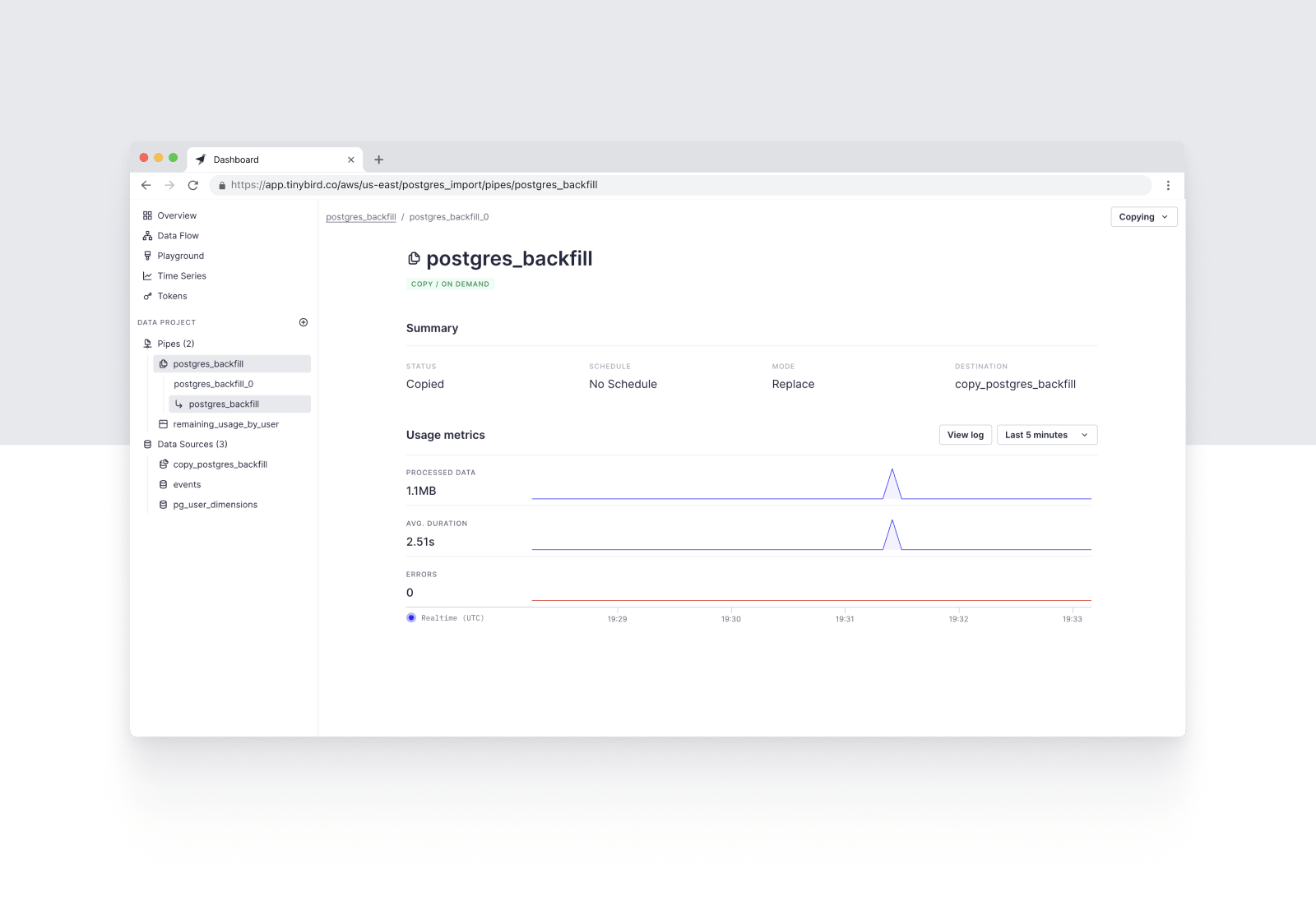
If you're using the PostgreSQL Table Function to sync dimensional data into Tinybird, you can proceed to the next step. If you're performing a one-off migration of event data, you can then point your event streams at this new Tinybird Data Source using the Events API or one of our native streaming Connectors.
With the Postgres table copied into Tinybird, you can now set up a Copy Pipe to incrementally append updates from your Postgres table to your Tinybird Data Source.
To do so, you can copy over the initial backfill query, and add a WHERE clause to filter only Postgres records by timestamps greater than the latest timestamp in your Tinybird Data Source, for example:
There's some great functionality here: You can push the filter down to Postgres and use a subquery over a Tinybird Data Source to define that filter. This query pushes the WHERE filter down to Postgres, selecting only rows in the Postgres table whose value in the pg_timestamp column is greater than the latest timestamp in the corresponding column of the Tinybird Data Source (in this case called tinybird_postgres_datasource).
Now, you can publish this incremental query as a Copy Pipe using the `APPEND` strategy, setting a reasonable schedule based on your data freshness requirements. Based on the schedule you define, Tinybird will trigger incremental Copy Jobs to append new data from your Postgres table into your Tinybird Data Source.
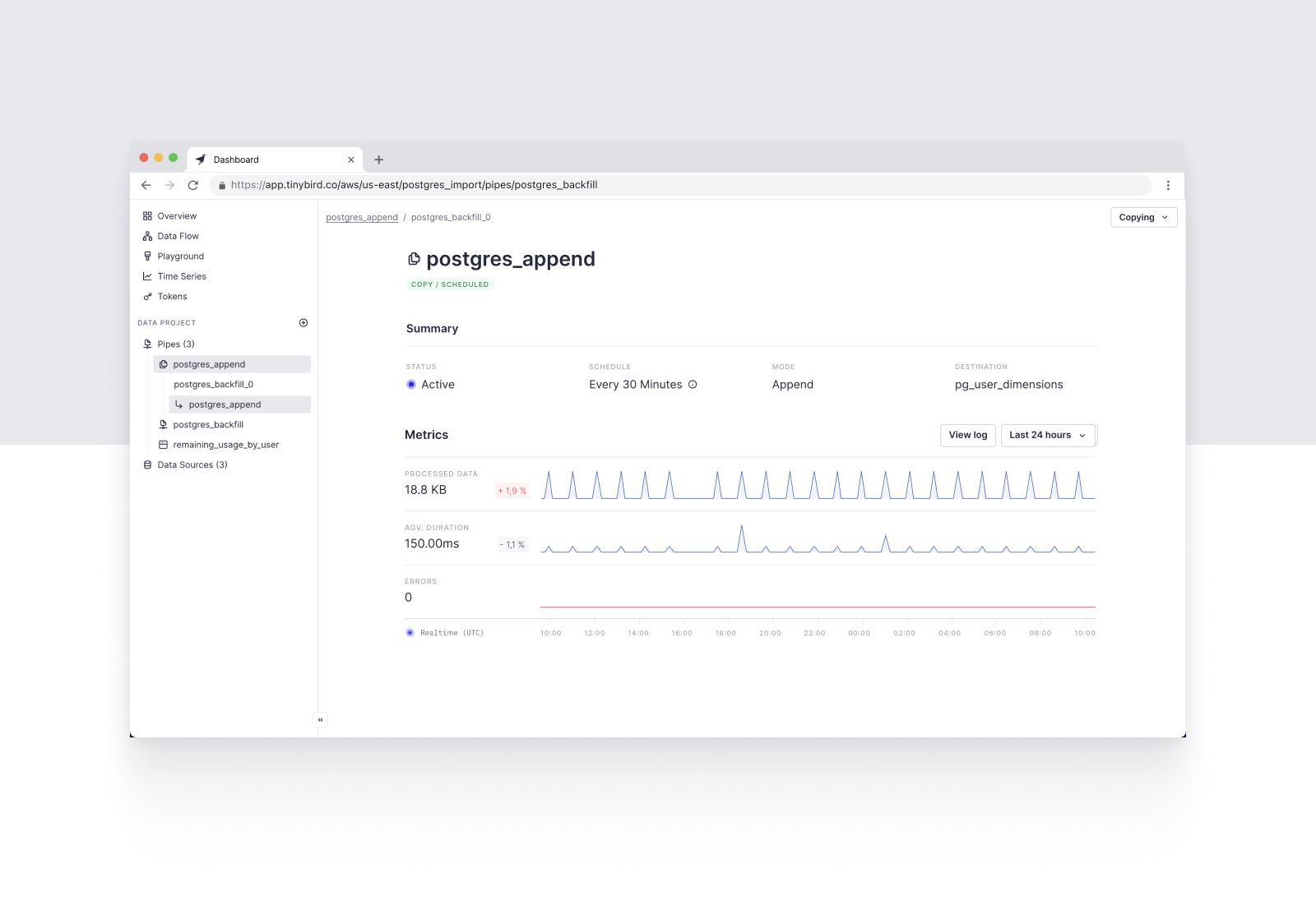
You've successfully set up a fully managed pipeline from Postgres to Tinybird. The rest is up to you. Use Tinybird Pipes to shape your data, enrich events with Postgres dimensions, and publish low-latency, scalable REST Endpoints to power your user-facing analytics.
The PostgreSQL Table Function is now available in Private Beta. To gain access to these features, contact Tinybird's Customer Support team at support@tinybird.co.
For more details about PostgreSQL Table Function, refer to the documentation. To see an example Postgres to Tinybird migration, check out the screencast below.
As always, if you have any questions about how to replicate Postgres data into Tinybird, please join our Slack Community.
If you're currently working with Postgres and looking for a real-time analytics database to scale your performance, try Tinybird. The Build plan is free, with no credit card requirement and no time limit. Sign up today to unify data from Postgres and other sources, shape it with SQL, and publish your queries as scalable REST Endpoints that you can integrate into your application.