---
title: "The simplest way to count 100 billion unique IDs: Part 1"
excerpt: "How to build a simpler, real-time version of Reddit's complex system for counting unique IDs, involving Kafka, Redis, and Cassandra."
authors: "Ariel Perez"
categories: "I Built This!"
createdOn: "2025-03-11 00:00:00"
publishedOn: "2025-03-25 00:00:00"
updatedOn: "2025-04-24 00:00:00"
status: "published"
---

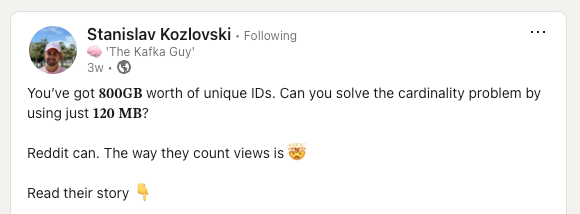
<p>I recently came across an interesting <a href="https://www.linkedin.com/posts/stanislavkozlovski_kafka-activity-7301266372326518785-DZFw" rel="noreferrer"><u>LinkedIn post</u></a> about how in 2017 Reddit designed the system to count post views and unique viewers:</p><figure class="kg-card kg-image-card"><a href="https://www.linkedin.com/posts/stanislavkozlovski_kafka-activity-7301266372326518785-DZFw"><img src="https://tinybird-blog.ghost.io/content/images/2025/03/image-1.png" class="kg-image" alt="" loading="lazy" width="580" height="214"></a></figure><p>Using Kafka, Redis, and Cassandra, they built a system to count 100 billion unique 64-bit IDs with only 12KB of storage. Impressive!</p><p>However, as someone who's spent quite some time helping companies solve these exact problems, I couldn't help but think: "<em>There's definitely a simpler way to do this.</em>"</p><h2 id="the-reddit-approach">The Reddit approach</h2><p>Here's what Reddit had built:</p><ol><li>Kafka ingests view events and checks if they should be counted.</li><li>They're written to another Kafka topic for counting.</li><li>A consumer updates Redis which maintains unique counts.</li><li>Cassandra pulls the values from Redis every 10 seconds in case they're evicted.</li><li>HyperLogLog for approximation (to save massive amounts of space).</li></ol><p>And hey, it works! But, that's a lot of moving parts just to count things.</p><h2 id="a-simpler-solution">A simpler solution</h2><p>What if you could:</p><ul><li>Store all your raw events in one place</li><li>Count uniques with a single SQL query</li><li>Get real-time results</li><li>Filter by time</li><li>Keep it all crazy efficient</li></ul><p>Turns out, you can. Here's how.</p><h2 id="the-implementation">The implementation</h2><p>First, I created a Tinybird project to store and count post views. To do this, I used the <code>tb create</code> command in the Tinybird CLI and supplied a prompt to bootstrap a first version. If you want to follow along and don’t have Tinybird installed, you can catch up to me in just 3 steps, detailed <a href="https://www.tinybird.co/docs/v2"><u>here</u></a>.</p>
<!--kg-card-begin: html-->
<iframe width="100%" height="100" src="https://snippets.tinybird.co/XQAAAAJ7AQAAAAAAAABBKUqGk9nLKwWqWIRy-hPaaJrsXizY5Rq0TBBCdbq2WqrSEKN89hEnZoKV7ZFDEfyLxLD2aB56ue2crxKTe5MZYYfvgSoMAhION-qwOj5GKUBk-C3yig8o0NNRCL_OmKrSS5aa1oLUpc2yWn1ucoYQIRLScB6LPCIpe-y_thVlD5gbMRpEmzHX9HhpdOcQnLct-3rwJj6tgADO-l8Ui7vsJ5DuCXFcegFWkJWhimTke_qt9irxWSeE80b9f73RYNcp2FUBzIA8UYK4mDNQY69EJOBqhMoHn84QV2XwRv-OwTIZCXZn4iwi_CiPQqBrHPixfLjEHaILRp3y-3zQqM6iGeU8YlNkYBSkAF30Ox3TjBUSUk27tiE8gWH_2aCPAA/embed"></iframe>
<!--kg-card-end: html-->
<p>I find that it’s best to be as specific as possible with requirements when prompting a project generator to get the best results.&nbsp;</p><figure class="kg-card kg-image-card"><img src="https://lh7-rt.googleusercontent.com/docsz/AD_4nXevB2pOA1BB4YpSi_IvaVT2j6coldhlCCFnxEZmVzp6CVnTm3TEuiXtW_wvivVKXsSylC9avTLdvIwHOFv4KISNc7WiMeFAex298TG_hd7q6I75saOXLZZ6SZIidAGYxNKldKgR3A?key=0aFpwYnjmQFyQP3Aqo3bTSeN" class="kg-image" alt="" loading="lazy" width="624" height="436"></figure><p>This is what Tinybird came up with on the first pass:</p><p><strong><em>datasources/post_views.datasource</em></strong></p>
<!--kg-card-begin: html-->
<iframe width="100%" height="350" src="https://snippets.tinybird.co/XQAAAAKkAQAAAAAAAABBKUqGk9nLKv2_rXedfJXRMp8cuASpy8Z5cyuUF450eig6VOs_uab7db_WIYEHyA-_Io1Pr4-Wz5RHjZGPiYym7_xmeXHhpsOWJcLwW-gH9AiYXhvp4TsoeBjDaxo01CYXD20X9xh4NJKmLDGjdr5TnJ16uc_sWAQHoYBb0A6Rwi-nrHxAoPhCTfipK6nVaaCr4NT9A9WdlxBqK5g_mQhJIFwZfyhF8YNJX8trDprWWgeA1vEaZJc1YeQLup_YZploro_Gyk23IxXXKr2p9_LznkiU8lDPnn2n7IjFJyMx9WCP8-d7enZ0lK_tiIC127yZ8GjabmKHz2siWBjIkTApV6p9H9QTbVgRF_6l0oA/embed"></iframe>
<!--kg-card-end: html-->
<p><strong><em>endpoints/unique_post_viewers.pipe</em></strong></p>
<!--kg-card-begin: html-->
<iframe width="100%" height="475" src="https://snippets.tinybird.co/XQAAAALkAgAAAAAAAABBKUqGk9nLKvQ7jXedfJXRMp8ctf-0RA89LEx7KCSVFdXH9AsJisiLVhAJPACU3Do_cJVbJuloz-07FyYyv0cx6DOokPbkbKIUWGJuAJdHu5ahropW-vn0LdftktE9ENTpaP8Rz0s7tm4RLV85SPxdkl_KOSULknNLRf1DWNvpyrdXo_vfCouhbcJfhmvjmKrscMMoejNHiRLAUeffjLnlcpQXKueVlQJ0V89JDY7yFwGxY4Lfeuc9dAjphRfCjonqszle93vmuvaGg9_D5IFvcm6f0dHym-sdViV4h0ans0lSD4eT4jqQmoq_T-6BRI6D06gg386RpzaBkk4LA-voU_UCUBphq-kRwx7TglTAy1wz7Ni1OY0ej-6j_8S-ExhvvSiCSN9Pli2or4FiFIDH8yHKBd_qouQmRg9O0eXBYrHPhu55mnxUcMwNOO0CvQ4ZVtMw-rGefWLNSWUvaGvthoMbL3rpLCQX0ZHxad6Edf-4__7bIoI/embed"></iframe>
<!--kg-card-end: html-->
<p>This endpoint pipe automatically becomes a REST API, for now deployed on localhost:</p>
<!--kg-card-begin: html-->
<iframe width="100%" src="https://snippets.tinybird.co/XQAAAAL5AAAAAAAAAABBKUqGk9nLKvKiByY6-nq5XPyfp3n9OD5lRd74EKW6e0Rb1ITD4AFIU4Fy949fu3UJ1uskkciwl-Cl7-TbZSPreIlejqsCuxxT1QhAYeRL2HFa6tsS4sI5I00jarXzjIe6XKRn6ScvH3R1DIh3cFFnhZH0uxVlVMmzdJYtulZ8W2zGQSWmfZco2z88uKSEmXTjXpFO3BDdtstJmZvD5Fk-hPi_U87pVJJWjKAeyfwX8wdxVruuHqqfZQTUufNYZhwPlW4GKljqnf687b4HQ2_-___w-wgA/embed"></iframe>
<!--kg-card-end: html-->
<p>Tinybird also generates some fake data to match the schema of the data source, so I was able to test that the endpoint did accurately count the unique views stored in the event log.</p><p>I can almost hear Javi Santana in the back of my head saying, “<em>BOOM!</em>” </p><p>So far, so good. I had a working API, but I did want to make one minor tweak to enforce that <code>post_id</code> is provided in the request:</p><figure class="kg-card kg-image-card"><img src="https://lh7-rt.googleusercontent.com/docsz/AD_4nXe5qn-lJm_V7Qyc24fKQt2KZArkQeY2faDhR3V47G66JFTWdnGe1wLeTQU74rNjjWoGQk_JhesiXsyqm9nSLaoxs6mH4YExrK6CSefa0DzokP6s8HgqnyOPrCMjrLaqbUm5F5v2lw?key=0aFpwYnjmQFyQP3Aqo3bTSeN" class="kg-image" alt="" loading="lazy" width="624" height="436"></figure><p>You can see that as soon as I saved those changes, Tinybird hot reloads. and validates the build.</p><p>I then deployed it to the cloud with <code>tb --cloud deploy</code>, and I had a hosted, production-ready API to count unique post viewers.</p><h2 id="but-does-it-scale">But does it scale?</h2><p>The simplicity of this solution is nice, but it's not a solution if it doesn't scale.</p><p>So, I tested it using <a href="https://mockingbird.tinybird.co/"><u>Mockingbird</u></a> to send <strong>1 post</strong> with <strong>10M views</strong> and <strong>~1M unique viewers</strong>, which is about <strong>~1GB of raw data</strong>. These are the results:&nbsp;</p><ul><li><strong>Storage: ~57MB </strong>after compression</li><li><strong>Latency: </strong>Queries return in <strong>~20 milliseconds</strong> (it’s even faster with date filters)</li><li><strong>Throughput: </strong>Real-time ingestion at <strong>100k events/second</strong></li></ul><p>While this isn't the 100B views in the post, it gives me an idea of how quickly I can read the data for a single post. Given how it's <a href="https://www.tinybird.co/docs/work-with-data/optimization/opt201-fix-mistakes#2-are-you-filtering-by-the-fields-in-the-sorting-key"><u>partitioned and sorted</u></a>, I’d expect consistent performance even as the number of posts grows (hint: it’s a binary search on the primary key so, <em>O(log<sub>2 </sub>n)</em>).</p><p>As I add more views and unique viewers per post, it scales linearly. This is where the date filters really shine. Extrapolating from this, I’d expect the following for 10K posts with 10M views each (for a total of 100B events): </p><ul><li><strong>~550GB</strong> stored (Remember, this is for <code>timestamp</code> + <code>post_id</code> + <code>viewer_id</code>. The implementation in the LinkedIn post has just <code>viewer_id</code> occupying <strong>800GB</strong>)</li><li>Still<strong> ~20-40 milliseconds</strong> query latency! That's the beauty of <em>O(log<sub>2 </sub>n).</em></li></ul><p>Of course, I’d <a href="https://www.tinybird.co/blog-posts/how-to-run-load-tests-in-real-time-data-systems"><u>load test</u></a> this before going to Production to make sure I didn’t make a mistake in my napkin math.&nbsp;</p><p>And yes, this includes <em>all</em> the raw data – not just pre-aggregated counts. Want to slice by hour? Add a dimension? Filter differently? Just modify the SQL.</p><h2 id="the-trade-offs">The trade-offs</h2><p>Nothing's perfect, so let's be upfront about the limitations:</p><ol><li>I'm storing more raw data (but modern columnar compression makes this surprisingly efficient and you can do other things with this data)</li><li>Queries do more work than just fetching a pre-computed number</li><li>At extreme scales, I might need some optimization (more on this in the next post)</li></ol><p>But consider what I'm NOT dealing with:</p><ul><li>No complex data pipeline</li><li>No synchronization between services or stores</li><li>No separate systems to monitor</li><li>No distributed system headaches</li></ul><h2 id="getting-started">Getting started</h2><p>Want to try this yourself? Check out the <a href="https://www.tinybird.co/docs/v2" rel="noreferrer">Tinybird documentation</a> to get started. You'll be up and running in minutes, not days.</p><h2 id="whats-next">What's next?</h2><p>This solution works great for most use cases. But what happens when you hit real scale? When you need to count trillions of events? When <a href="https://www.tinybird.co/docs/sql-reference/functions/aggregate-functions#uniqExact" rel="noreferrer"><code>uniqExact</code></a> starts eating too much memory?</p><p>That's what I'll cover in the next post. Stay tuned.</p>
