---
title: "See how much data your endpoints scan in real-time"
excerpt: "Break down every API request by scan size (rows or bytes) and token."
authors: "Juan Madurga"
categories: "Product updates"
createdOn: "2023-09-25 00:00:00"
publishedOn: "2022-05-25 00:00:00"
updatedOn: "2025-04-24 00:00:00"
status: "published"
---

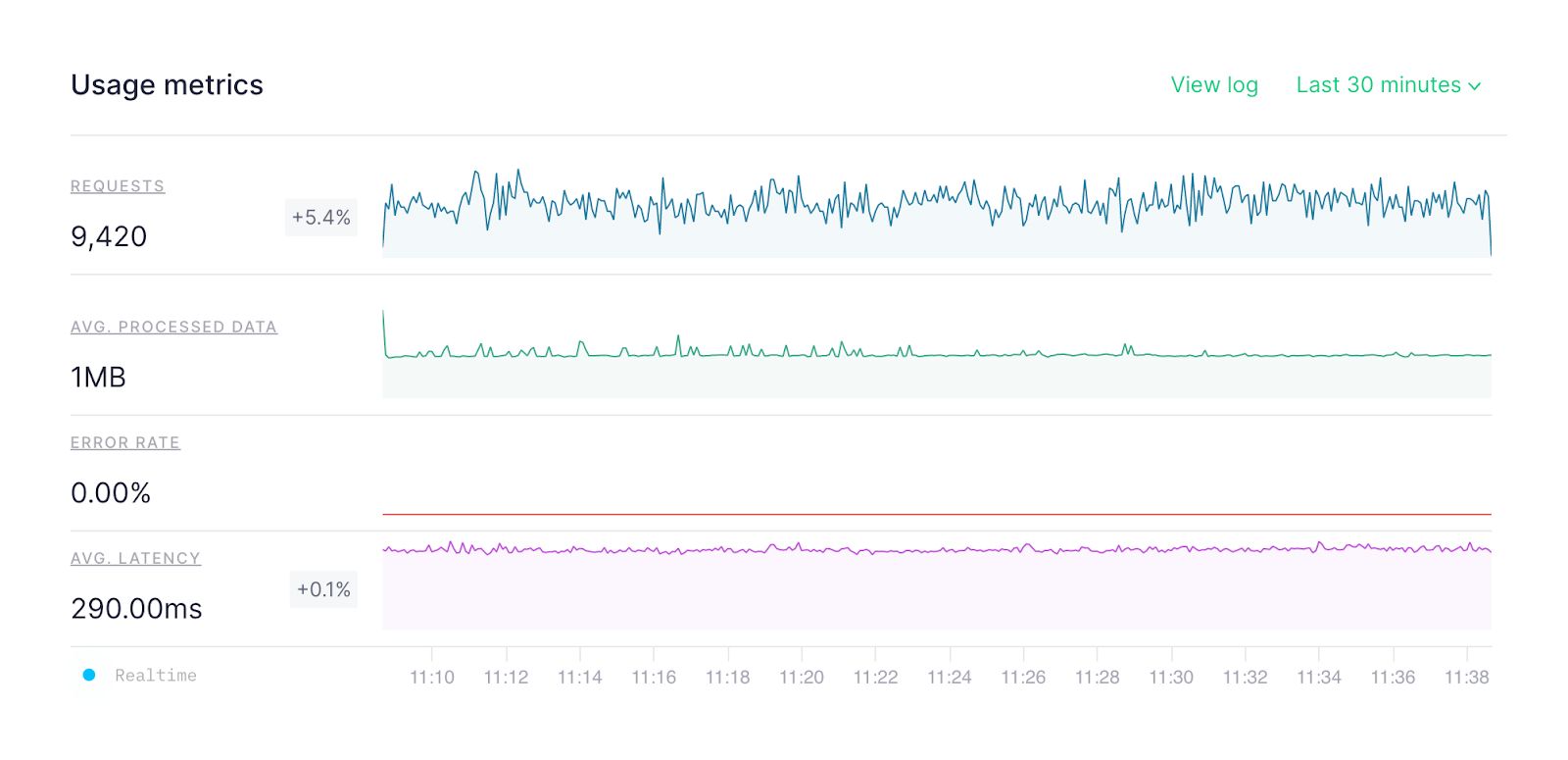
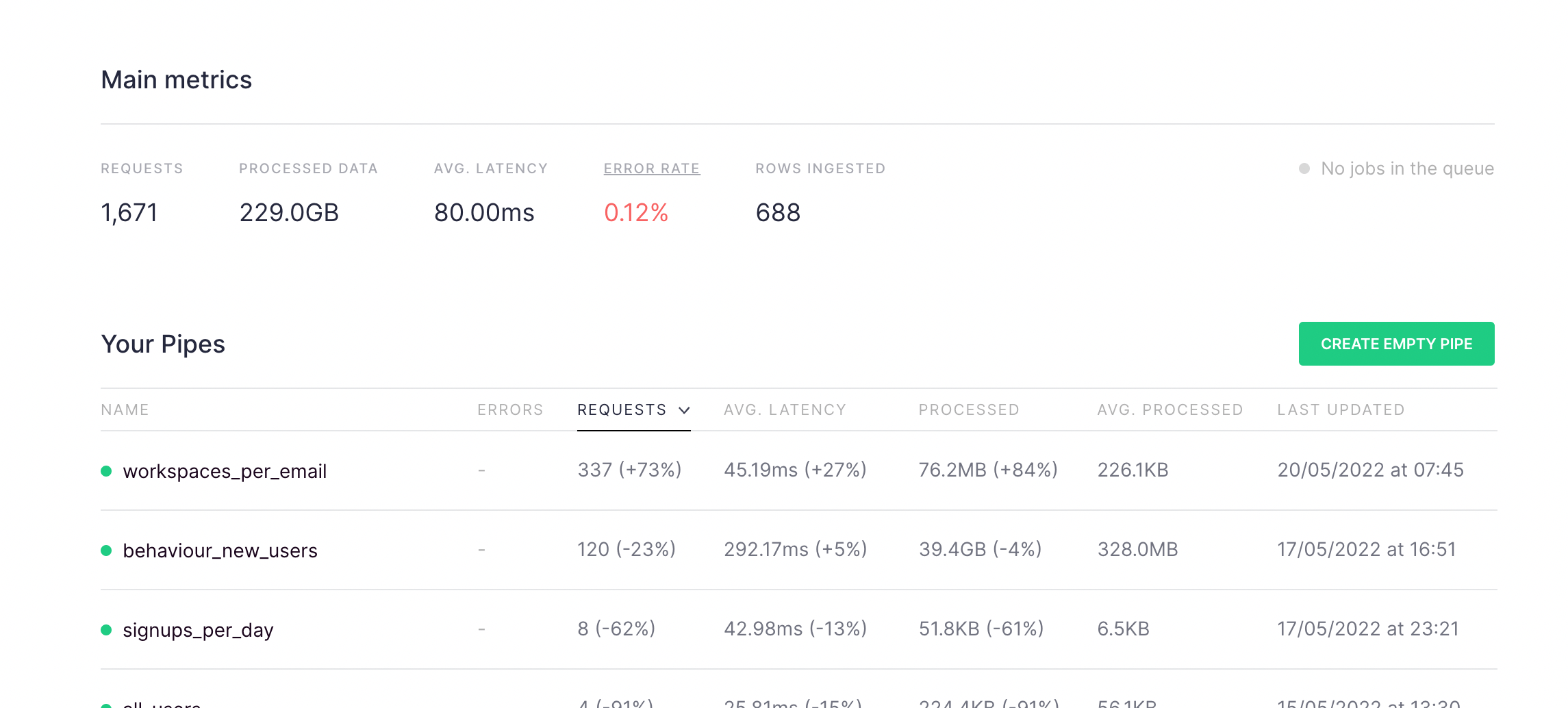
<h2 id="what%E2%80%99s-changed">What’s changed?</h2><p>We have enriched our <a href="https://www.tinybird.co/docs/monitoring/service-datasources?__hstc=17958374.8aa1fe3478721f02abeda5a6d4a62a1a.1649087381148.1652742372807.1652786109693.7&amp;__hssc=17958374.1.1652786109693&amp;__hsfp=1414971976#tinybird-pipe-stats-rt" rel="noreferrer">pipe_stats_rt</a> service Data Source by including the data processed for every request and the token information, as well as other information related to the actual request. The new columns are:</p><ul><li><code>pipe_name</code>: name of the requested pipe</li><li><code>read_bytes</code>: bytes processed for the request</li><li><code>read_rows</code>: number of rows read in the request</li><li><code>request_id</code>: identifies the request</li><li><code>token</code>: the id of the token</li><li><code>token_name</code>: the name of the token</li></ul><p>Also, the service Data Source <a href="https://www.tinybird.co/docs/monitoring/service-datasources?__hstc=17958374.8aa1fe3478721f02abeda5a6d4a62a1a.1649087381148.1652742372807.1652786109693.7&amp;__hssc=17958374.1.1652786109693&amp;__hsfp=1414971976#tinybird-pipe-stats" rel="noreferrer">pipe_stats</a> (with aggregations per day) has been extended by providing two new columns:</p><ul><li><code>pipe_name</code>: name of the requested pipe</li><li><code>read_bytes_sum</code>: bytes processed for the request</li><li><code>read_rows_sum</code>: number of rows read in the request</li></ul><p><a href="https://www.tinybird.co/docs/api-reference/query-api" rel="noreferrer">QueryAPI</a> requests are included too. Just use the <code>query_api</code><em> </em>value to filter by <code>pipe_id</code> or <code>pipe_name</code>.</p><p>Finally, since we’ve improved <code>pipe_stats_rt</code>, we figured we’d offer an easy way to explore that performance in the Tinybird UI. If you want to compare all your published Pipes, in the dashboard we have included the average and the total processed data:</p><figure class="kg-card kg-image-card"><img src="https://tinybird-blog.ghost.io/content/images/2023/09/628e4cc3cf655077e8ee6068_Main-Tinybird-metrics-11.png" class="kg-image" alt="" loading="lazy" width="2000" height="903" srcset="https://tinybird-blog.ghost.io/content/images/size/w600/2023/09/628e4cc3cf655077e8ee6068_Main-Tinybird-metrics-11.png 600w, https://tinybird-blog.ghost.io/content/images/size/w1000/2023/09/628e4cc3cf655077e8ee6068_Main-Tinybird-metrics-11.png 1000w, https://tinybird-blog.ghost.io/content/images/size/w1600/2023/09/628e4cc3cf655077e8ee6068_Main-Tinybird-metrics-11.png 1600w, https://tinybird-blog.ghost.io/content/images/2023/09/628e4cc3cf655077e8ee6068_Main-Tinybird-metrics-11.png 2290w" sizes="(min-width: 720px) 720px"></figure><p>And, if you want to check just one Pipe in detail, you’ll now find a graph showing the average processed data over time on the API endpoint’s information page. Use this graph to check usage in real-time and compare performance across time periods.</p><figure class="kg-card kg-image-card"><img src="https://tinybird-blog.ghost.io/content/images/2023/09/628e3cf6817443bb06d3cb7f_wGEI6JhOV7wq6ITu_bxgR34fq2w4eOcYzK7AuSrrJ9rhICj8qpk6XUPpFd0CuU2a8ZyiffaLJh4-coE7YUGdNstqK2yUZwqIYZxsObkwsQqXqeoAZZX2T6V0_U7Bm_gzFyOZkT0WdhxFgR3B2A-9.jpeg" class="kg-image" alt="" loading="lazy" width="1600" height="775" srcset="https://tinybird-blog.ghost.io/content/images/size/w600/2023/09/628e3cf6817443bb06d3cb7f_wGEI6JhOV7wq6ITu_bxgR34fq2w4eOcYzK7AuSrrJ9rhICj8qpk6XUPpFd0CuU2a8ZyiffaLJh4-coE7YUGdNstqK2yUZwqIYZxsObkwsQqXqeoAZZX2T6V0_U7Bm_gzFyOZkT0WdhxFgR3B2A-9.jpeg 600w, https://tinybird-blog.ghost.io/content/images/size/w1000/2023/09/628e3cf6817443bb06d3cb7f_wGEI6JhOV7wq6ITu_bxgR34fq2w4eOcYzK7AuSrrJ9rhICj8qpk6XUPpFd0CuU2a8ZyiffaLJh4-coE7YUGdNstqK2yUZwqIYZxsObkwsQqXqeoAZZX2T6V0_U7Bm_gzFyOZkT0WdhxFgR3B2A-9.jpeg 1000w, https://tinybird-blog.ghost.io/content/images/2023/09/628e3cf6817443bb06d3cb7f_wGEI6JhOV7wq6ITu_bxgR34fq2w4eOcYzK7AuSrrJ9rhICj8qpk6XUPpFd0CuU2a8ZyiffaLJh4-coE7YUGdNstqK2yUZwqIYZxsObkwsQqXqeoAZZX2T6V0_U7Bm_gzFyOZkT0WdhxFgR3B2A-9.jpeg 1600w" sizes="(min-width: 720px) 720px"></figure><h2 id="why-does-this-matter">Why does this matter?</h2><p>First of all, the upgrade to <code>pipe_stats_rt</code> means you can now create service Endpoints to monitor the amount of data processed on your Workspace. This is big news.</p><p>In addition:</p><ul><li>You can identify which endpoints and requests are consuming the most data, so you can optimize them.</li><li>You can spot tokens that may have been leaked.</li><li>You can find endpoint parameters that consume comparatively more data.</li><li>You can detect changes in endpoints by looking at the scan size.</li></ul><h2 id="get-started-with-the-guide">Get Started with the guide</h2><p>Ready to optimize your endpoints? Some of these examples are available in the <a href="https://www.tinybird.co/docs/guides/publish/analyze-endpoints-performance" rel="noreferrer">guide</a> we have prepared for analyzing the performance and consumption of your API Endpoints.</p>