Data Platform

Build, preview, scale
Branch the full stack, not just the database.
$ ❯ tb branch create my_feature --last-partition
Branch 'my-feature' created with production data.
$ ❯ tb --branch=my_feature dev --with-connections
Watching for changes…
$ ❯ tb --branch=my_feature datasource my_kafka_ds start
How it works
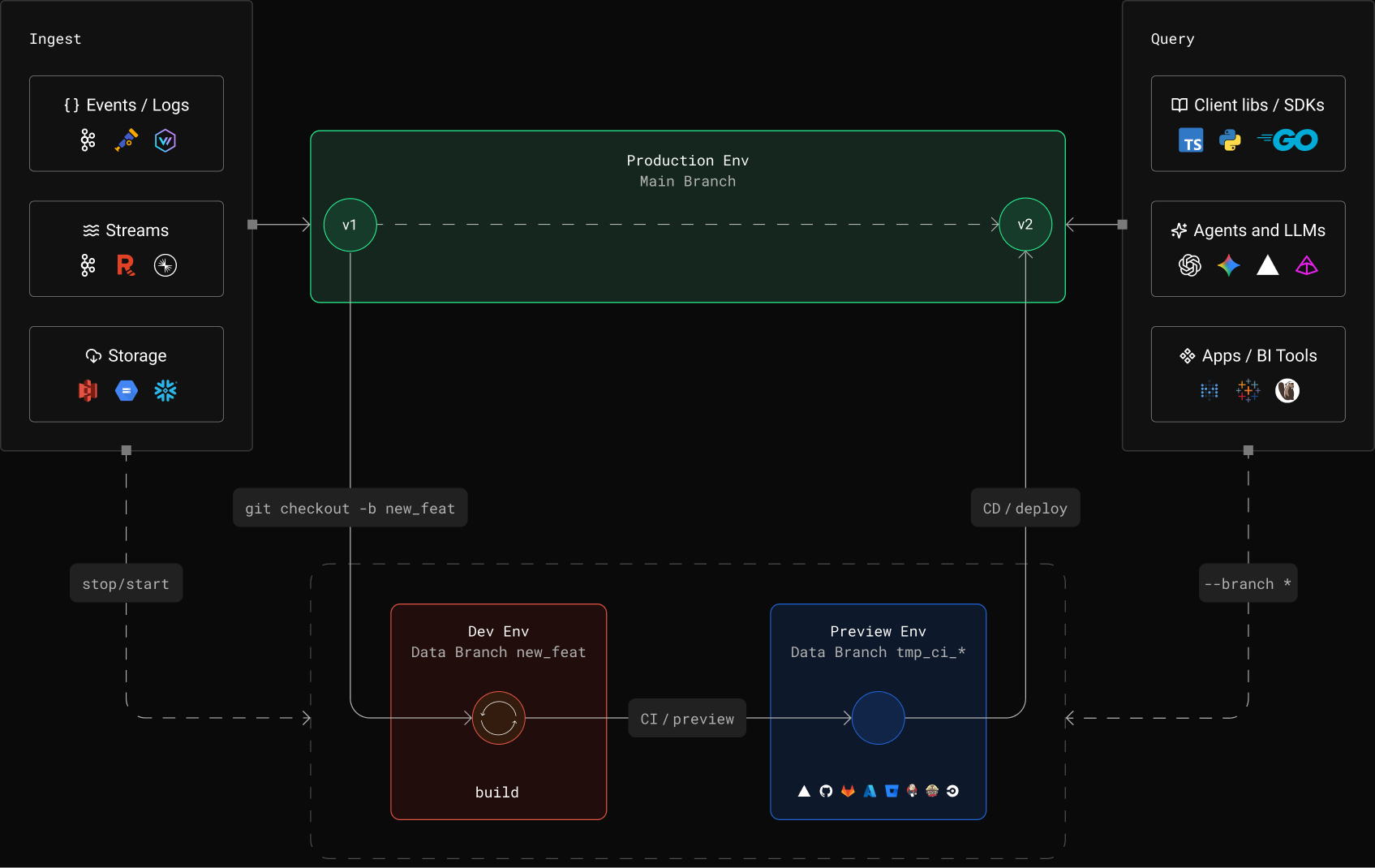
From idea to production, faster
Agents and teams iterate on production data
migrated from PostgreSQL to Tinybird and serves 1,000x faster queries.
per month
queries
production
“Tinybird has branching, which is really powerful for A/B testing or even from a learning perspective—understanding what sort of indices are going to be helpful, or if you materialize something into a different view, is that actually going to be worth the complexity? Branching is super powerful for that.”

Ben Hylak
CTO at Raindrop

Replace your staging stack
Why Branches
# Local dev only
23- Sample data, hope it matches prod4- Mock connectors, untested in real5- No preview with real data6- CI validates syntax, not data7- Schemas tested against empty tables8- Agents build against fixtures
# With Tinybird branches
23+ Latest partition of production data4+ Real Kafka, S3, GCS, isolated5+ Branch tokens for preview deployments6+ CI validates against prod before merge7+ Schemas tested against real data8+ Agents build against prod in isolated branches

Build loop, step by step
Everything you need to iterate safely
Zero-copy Production Data
- --last-partition attaches real data up to 50 GB
- Branch data physically separate from production
- Mutations stay in the branch
Kafka in Branches
- Stopped by default, start/stop per datasource
- Unique consumer group per start
- Production consumers unaffected
Blob Storage (S3, GCS)
- Sample API imports up to 10 files
- Validate schemas against real files
- Separate sync state per branch
Isolated Tokens & Auth
- Production tokens mirrored with same names/scopes
- Modify/delete without affecting prod
- tb token copy for CI
Agent Build Loops
- Agents get branch tokens as env vars
- Multiple agents in parallel branches
- Branch on start, delete on finish
CI/CD and Preview Deployments
- Branch on PR open, delete on merge
- tb deploy --check for dry-run
- Branch tokens as env vars for previews

Agentic workflows
Built for
coding agents
No human in the loop until code review, no shared state.
FAQs
What does a branch include?
Everything. A branch is a full copy of your workspace: datasources, Pipes, API Endpoints, tokens, and connectors. Not just data tables. You get an isolated backend with its own query logic, its own published APIs, and its own auth tokens. Other tools branch the database. Tinybird branches the entire data stack.
How do branches work?
Each branch is a separate workspace in Tinybird Cloud with its own tokens, endpoints, and data. Create one with tb branch create, develop against production data, and delete when done. Schema mutations, token edits, new Pipes in the branch don't touch production. Agents and developers use the same workflow.
Note: Branches are available on Forward workspaces only. If you're on a Classic workspace, migrate to Forward first.
How do I deploy from a branch to production?
Run `tb --cloud deploy` from your project directory. This deploys the current state of your datafiles to the production workspace. The branch itself is not "promoted"; your tested code is deployed. You can do this via CI/CD or the CLI directly.
How is production data attached to branches?
When you create a branch with `--last-partition`, Tinybird references the latest active partition of each production datasource using ClickHouse's immutable parts. This gives you real production data in the branch without copying the full dataset. After creation, branch data is physically separate. Writes, deletes, and schema changes in the branch stay in the branch.
What are immutable parts?
ClickHouse MergeTree tables store data in immutable parts. When a branch references production data via `--last-partition`, it points to these immutable parts rather than copying the raw data. This is why branch creation is fast and doesn't duplicate storage for the referenced data. The latest active partition is attached if it's under 50 GB; datasources with larger partitions are created empty in the branch.
Can I use Kafka connectors in branches?
Yes. Use `tb --branch=my_branch dev --with-connections` or `tb --branch=my_branch build --with-connections` to enable connectors. Then `tb --branch=my_branch datasource start my_kafka_datasource` to begin ingestion. Each start creates a new consumer group with a unique ID, starting from the latest offset. Consumer groups don't collide with production. Stop ingestion with `tb --branch=my_branch datasource stop my_kafka_datasource`.
Can I use S3/GCS connectors in branches?
Yes. After building with `--with-connections`, use the sample API to import up to 10 files from your bucket: `POST /v0/datasources/{name}/sample` with `{"max_files": 1}`. The response includes a `job_id` for tracking. Sample imports don't affect production sync state or offsets.
How do branch tokens work?
When a branch is created, all production tokens are mirrored into the branch as new, independent tokens with the same names and scopes. You can modify or delete branch tokens without affecting production. Use `tb token copy` in the branch context to get token values for testing or preview deployments.
How do I use branches with Vercel preview deployments?
Set your branch token as an environment variable in your Vercel preview build. When a PR is opened, your CI creates a Tinybird branch and outputs the branch token. Your frontend preview hits the branch backend automatically. Same pattern works with Netlify and other platforms.
What happens when I delete a branch?
`tb branch rm my_branch` permanently deletes the branch workspace, including all data, tokens, and endpoints. Production data, tokens, and connectors remain exactly as they were. Orphaned Kafka consumer groups expire based on your cluster's `offsets.retention.minutes` setting. This is irreversible.
How does CI/CD work with branches?
Use GitHub Actions or GitLab CI templates to automate the workflow: create a branch on PR open, build and test against production data, run `tb deploy --check` for dry-run validation, and delete the branch on merge. Tinybird provides built-in templates for both platforms.
Can I test schema migrations in branches?
Yes. Change your `.datasource` files in the branch and deploy. Backward-compatible changes apply automatically. For breaking changes, use `FORWARD_QUERY` to define a migration query. Validate everything before merging to production.
Is there a limit on branches?
No hard limit on concurrent branches. In practice, teams run one branch per open PR and delete on merge. Each branch consumes compute and storage independently, so cost scales with how many are active and what's running in them (connectors, queries).
How does pricing work for branches?
Branches consume compute and storage from your Tinybird plan. Data referenced via --last-partition uses shared immutable parts, so the storage overhead is minimal for the referenced data. Active connectors (Kafka ingestion, S3 sample imports) and queries in branches count toward your usage. See the pricing page for details.
Can coding agents use branches?
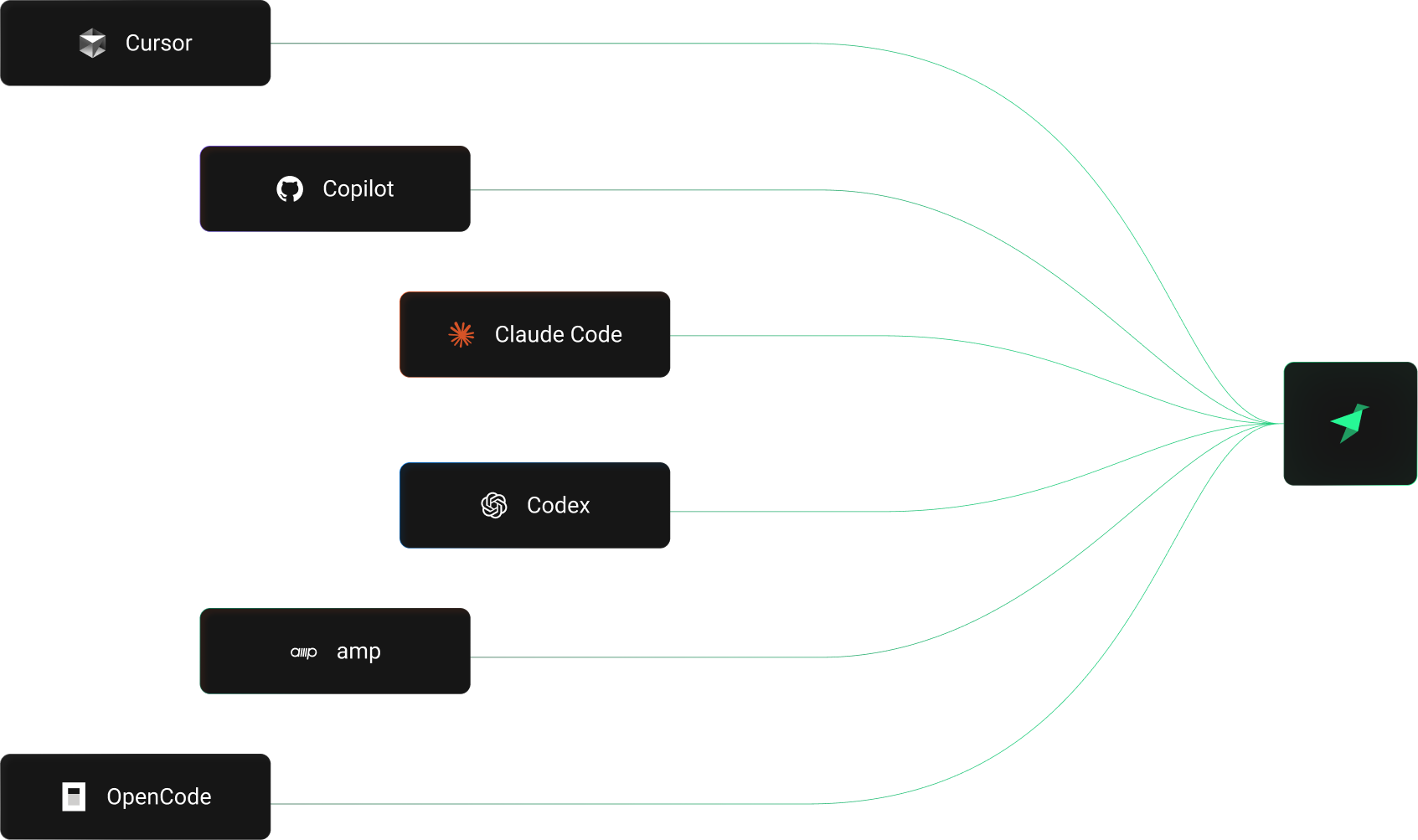
Yes. Agents create branches, develop in them, test against production data, and open PRs. Background agents (Codex, Claude Code) can run entire build loops in a branch while you do other work. Branch isolation means an agent can't affect production even if it generates bad code. Delete the branch and start over.
Can multiple agents work in parallel?
Yes. Each agent gets its own branch with its own tokens, data, and endpoints. Three agents can work on three features at the same time, each building and testing against production data in complete isolation. No coordination required. Branches don't share state, so agents can't interfere with each other or with production.
What about security and compliance?
Tinybird is SOC2 Type II certified with GDPR compliance. Branch creation and access follow the same RBAC and audit logging as your production workspace. Branches inherit the data residency of the parent workspace, so if production is in EU, branches stay in EU. See the security page for certifications and details.

Start building with branches
- Quickstart
- Branches docs — full reference for branch workflows
- CI/CD guide — preview deployments & automation