



Today we're releasing @tinybirdco/sdk, a TypeScript SDK to define and work with your entire Tinybird project in TypeScript code. Datasources, pipes, endpoints, materialized views, copy pipes, Kafka connections. All of it.
At Tinybird we've always believed on an Infrastructure-as-code approach. All the schemas of Tinybird's underlying managed Open Source ClickHouse® database, all API endpoints, materialized views, kafka/S3/GCS connections or sinks can be managed as code.
However until today, the only way to do that was by creating .datasource and .pipe files in a custom DSL. While this continues to work for thousands of teams that ship production analytics with Tinybird, if you're a TypeScript developer, this approach feels foreign.
And even more so if you are using a coding agent like Claude or Cursor, which have been trained on huge amounts of "standard" TypeScript code.
That's changing today with Tinybird's TypeScript SDK:
pnpm add -g @tinybirdco/sdk
This isn't an API wrapper. You don't generate types from existing resources. You define resources as code, and the types flow from there.
Why TypeScript
Your data layer as part of your regular codebase. When your Tinybird datasources and endpoints are TypeScript, they live next to your application code. Same language, same toolchain, same review process.
Types catch mistakes before deployment. Mistype a column name? Reference a datasource that doesn't exist? TypeScript tells you at compile time, not when your deploy fails in CI. Your endpoint output schema is validated against your SQL. Your ingestion payloads are checked against your datasource schema.
Your tools already understand TypeScript. IDEs give you autocomplete for datasource fields, parameter names, engine options. You can CMD+click from an endpoint definition to the datasource it queries. Refactoring a column name? Find all references works.
Coding agents can work with your data layer. This is the big one. When your Tinybird resources are TypeScript in your codebase, Claude Code, Codex, or Cursor can read and modify them. They understand your data model. They can write endpoints, add materialized views, fix schema issues. The DSL files are opaque to these tools. TypeScript is their native language.
Tell your agent create an endpoint that returns the top pages by country for the last 7 days and it can read your datasource schema, write the TypeScript definition, and build it to a branch. It knows your types, your columns and your parameters because they're just TypeScript.
What it looks like
Here's a datasource to store web page visits:
import { defineDatasource, t, engine } from "@tinybirdco/sdk";

export const pageViews = defineDatasource("page_views", {
  schema: {
    timestamp: t.dateTime(),
    session_id: t.string(),
    pathname: t.string(),
    country: t.string().lowCardinality().nullable(),
    device_type: t.string().lowCardinality(),
  },
  engine: engine.mergeTree({
    sortingKey: ["pathname", "timestamp"],
    partitionKey: "toYYYYMM(timestamp)",
  }),
});
And an endpoint to extract top visits:
import { defineEndpoint, node, p, t } from "@tinybirdco/sdk";

export const topPages = defineEndpoint("top_pages", {
  params: {
    start_date: p.dateTime(),
    end_date: p.dateTime(),
    limit: p.int32().optional(10),
  },
  nodes: [
    node({
      name: "aggregated",
      sql: `
        SELECT pathname, count() AS views, uniqExact(session_id) AS unique_sessions
        FROM page_views
        WHERE timestamp >= {{DateTime(start_date)}}
          AND timestamp <= {{DateTime(end_date)}}
        GROUP BY pathname
        ORDER BY views DESC
        LIMIT {{Int32(limit, 10)}}
      `,
    }),
  ],
  output: {
    pathname: t.string(),
    views: t.uint64(),
    unique_sessions: t.uint64(),
  },
});
That's real code. Your editor understands it. TypeScript validates it. And when you query that endpoint, the response is fully typed:
import { Tinybird, type InferParams, type InferOutputRow } from "@tinybirdco/sdk";
import { topPages } from "./endpoints";

const tb = new Tinybird({ ... });

// These types are inferred from the endpoint definition above
type Params = InferParams<typeof topPages>;
type Result = InferOutputRow<typeof topPages>;
No manual type definitions. No any. The types come from your schema.
Everything you can define
The SDK covers the full surface of Tinybird resources: datasources, endpoints, materialized views, copy pipes, reusable pipes, and Kafka connections. The type system mirrors ClickHouse® — chainable modifiers like .nullable(), .lowCardinality(), .default(), and .codec() work the way you'd expect.
And yes, the SQL inside your TypeScript gets full syntax highlighting. The SDK ships a VS Code / Cursor extension that recognizes SQL inside template literals, so you get the best of both worlds — TypeScript structure around your queries, proper SQL editing inside them.
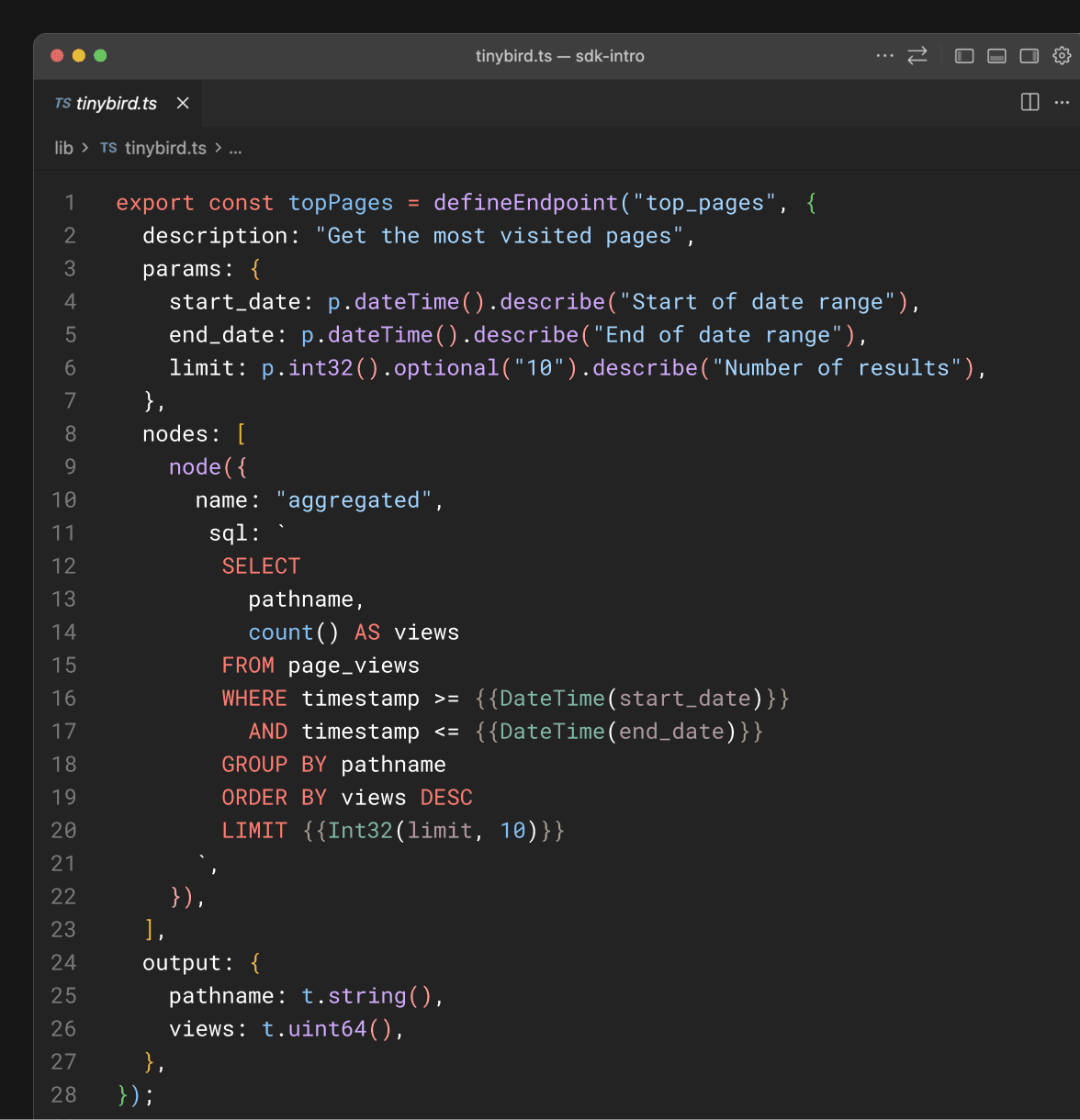
The SDK also ships a typed runtime client. Ingestion is typed against your datasource schema — pass a wrong field and TypeScript catches it:
import { Tinybird, type InferRow } from "@tinybirdco/sdk";
import { pageViews } from "./datasources";

const tb = new Tinybird({
  datasources: { pageViews },
});

type PageView = InferRow<typeof pageViews>;

await tb.ingest("pageViews", {
  timestamp: new Date(),
  session_id: "abc-123",
  pathname: "/pricing",
  country: "US",
  device_type: "desktop",
});
Queries, scoped JWT tokens for multi-tenant use cases, and more in the deep-dive post.
A CLI that works like you'd expect
If you've used Next.js, Vite, or any modern frontend framework, the workflow will feel familiar:
npx tinybird init      # scaffold a project
npx tinybird build     # build in tinybird local or in a branch
npx tinybird dev       # watch mode, hot reload on a branch or tinybird local
npx tinybird deploy    # deploy to production
dev watches your files and syncs changes to a Tinybird branch in real time. Edit a datasource, save, and see the result in your cloud environment immediately. No manual deploys during development.
There's also npx tinybird pull to download existing cloud resources as datafiles, and npx tinybird migrate to convert your .datasource and .pipe files to TypeScript definitions.
Preview deployments and CI/CD
Your data layer should deploy the same way your app does. The SDK ships a preview command designed for CI pipelines:
npx tinybird preview
This creates an ephemeral Tinybird branch with a deterministic name based on your git branch (tmp_ci_<branch>), builds your resources, and deploys them. Add it to your CI and every PR gets its own isolated Tinybird environment: same schema, separate data, independent endpoints.
On the runtime side, the SDK automatically detects preview environments and resolves the correct branch token. No configuration needed. It works out of the box with Vercel, GitHub Actions, GitLab CI, CircleCI, Azure Pipelines, and Bitbucket Pipelines.
A GitHub Actions workflow looks like this:
# .github/workflows/preview.yml
on: pull_request

jobs:
  preview:
    runs-on: ubuntu-latest
    steps:
      - uses: actions/checkout@v4
      - run: npx tinybird preview
        env:
          TINYBIRD_TOKEN: ${{ secrets.TINYBIRD_TOKEN }}

  deploy:
    if: github.ref == 'refs/heads/main'
    runs-on: ubuntu-latest
    steps:
      - uses: actions/checkout@v4
      - run: npx tinybird deploy
        env:
          TINYBIRD_TOKEN: ${{ secrets.TINYBIRD_TOKEN }}
Open a PR, and your Vercel preview deployment automatically connects to the matching Tinybird branch. Merge to main, and tinybird deploy promotes your data layer to production alongside your app. Your data backend follows the same PR-based workflow as everything else.
Incremental adoption
You don't have to rewrite everything. The SDK works alongside existing .datasource and .pipe files. Your tinybird.config.mjs can include both:
const tinybirdConfig = {
  include: [
    "lib/tinybird.ts",   // new TypeScript definitions
    "tinybird/*.datasource",       // existing datafiles
    "tinybird/*.pipe",
  ],
};

export default tinybirdConfig;
Migrate at your own pace. Or don't. Both formats are first-class.
Run npx tinybird migrate to automatically convert your existing datafiles to TypeScript, and go from there.
Get started
pnpm add -g @tinybirdco/sdk
tinybird init
tinybird init also offers to install Tinybird agent skills so your coding agent understands Tinybird conventions from the start and syntax highlight for humans reviewing in Cursor and VS Code.
Or simply paste this prompt to your Coding Agent to get started.

