Playgrounds
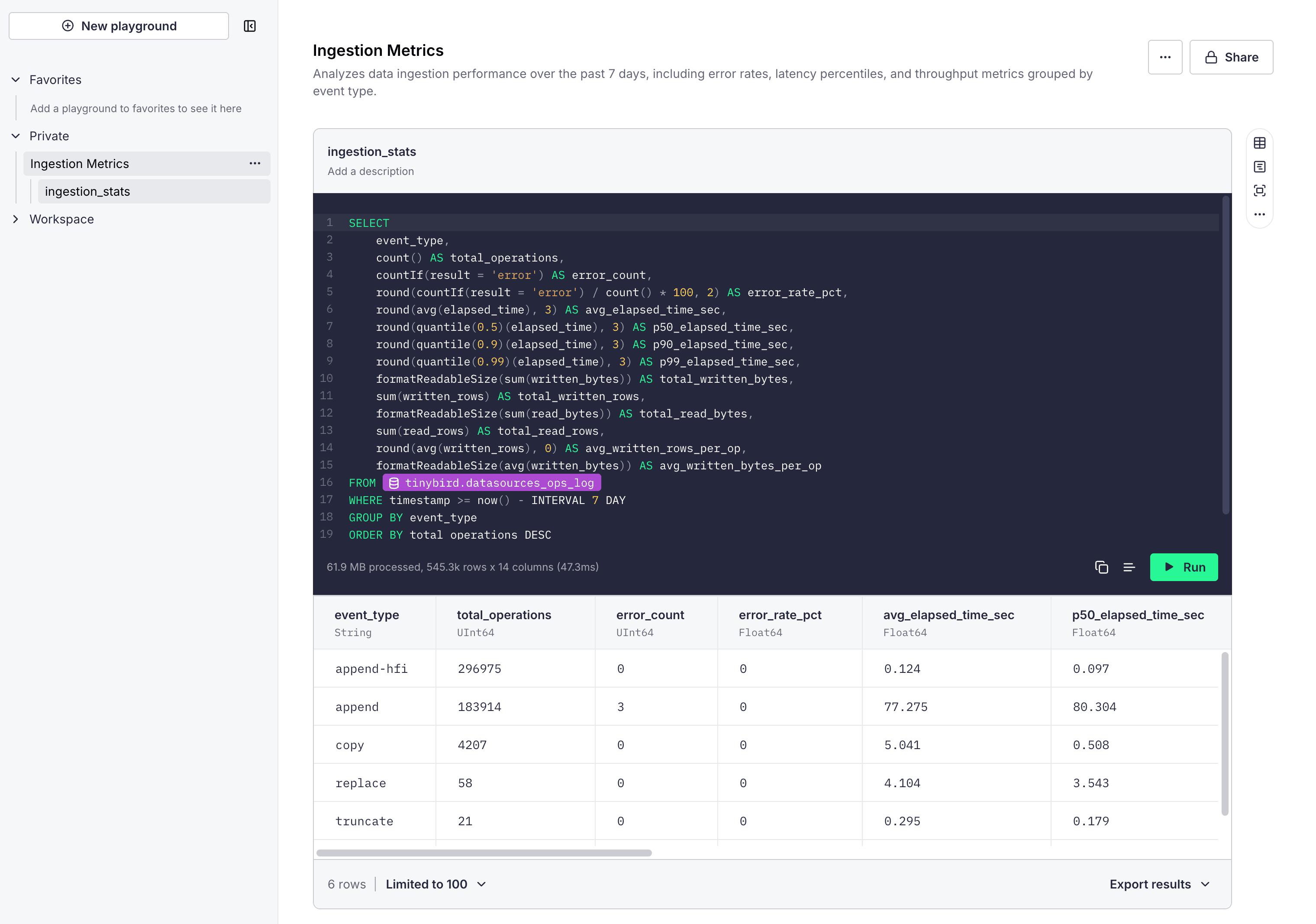
Playgrounds are interactive SQL workspaces in Tinybird Cloud. Use them to explore data, iterate on query logic, and validate results before turning the SQL into a Pipe or Endpoint.
Getting started
- Go to Tinybird Cloud and log in to your account.
- Select Playgrounds in the sidebar.
- Select New playground.
- Give the playground a title and optional description.
- Start writing SQL.
For the statements, functions, and settings you can use in queries, see the SQL reference.
Playground workflow
Organize your playground
Use the list on the left to switch between playgrounds. Mark favorites for quick access and use filters like Favorites or Private to focus the list.
Build queries with nodes
Each playground is made of nodes. Keep nodes focused and readable so you can build multi-step logic and iterate quickly.
Run and review results
Use Run to execute a node and preview results. Adjust the row limit (for example, Limited to 100) or export results when you need to validate outputs outside Tinybird.
Format and document
Use Format to keep SQL readable. Add node descriptions, or use Update node description using AI to keep your work self-documented as it grows.
Share with your team
Use Share to make a playground available to your workspace when it is ready to review.
Work with context
Select the source to open a side panel, then review in-context metadata like columns, settings, and query plans to validate results.
From playground to production
When a query is ready, move the SQL into a Pipe so it can be versioned, deployed, and used by Endpoints or other resources.
Next steps
- Learn about Time Series to quickly visualize data.
- Learn about Pipes.
- Learn about API Endpoints.