Data Platform

Let every team ship.
Keep one place in control.
Govern people and access
Find the right person
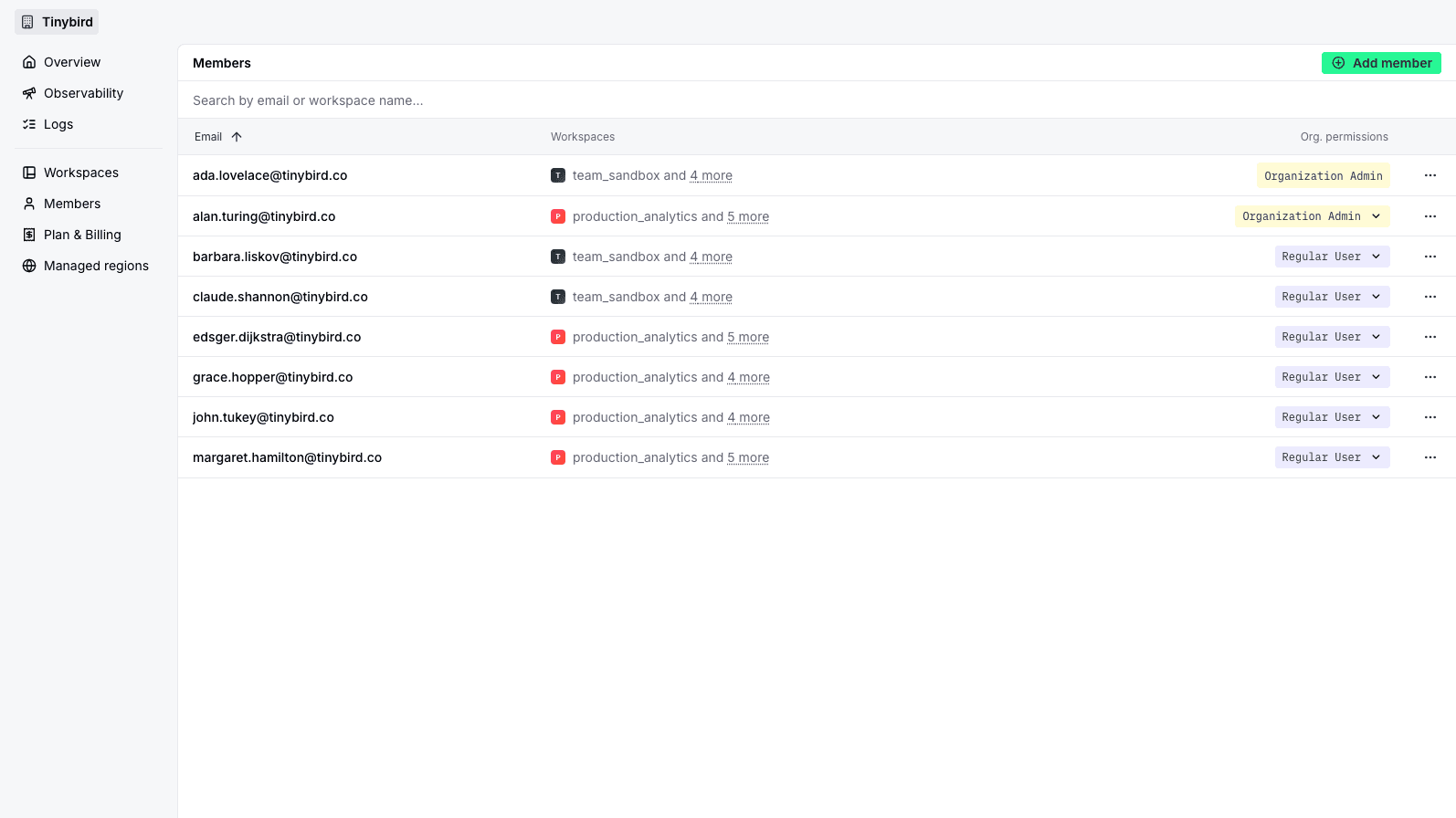
Search Organization members by email and review the Workspaces each person can access.
Manage access centrally
Organization admins can invite or remove members and update Workspace access without joining every Workspace.
Keep roles explicit
Review Organization admin access alongside Workspace Admin, Guest, and Viewer roles.
Manage Workspaces
and regions
One Workspace inventory
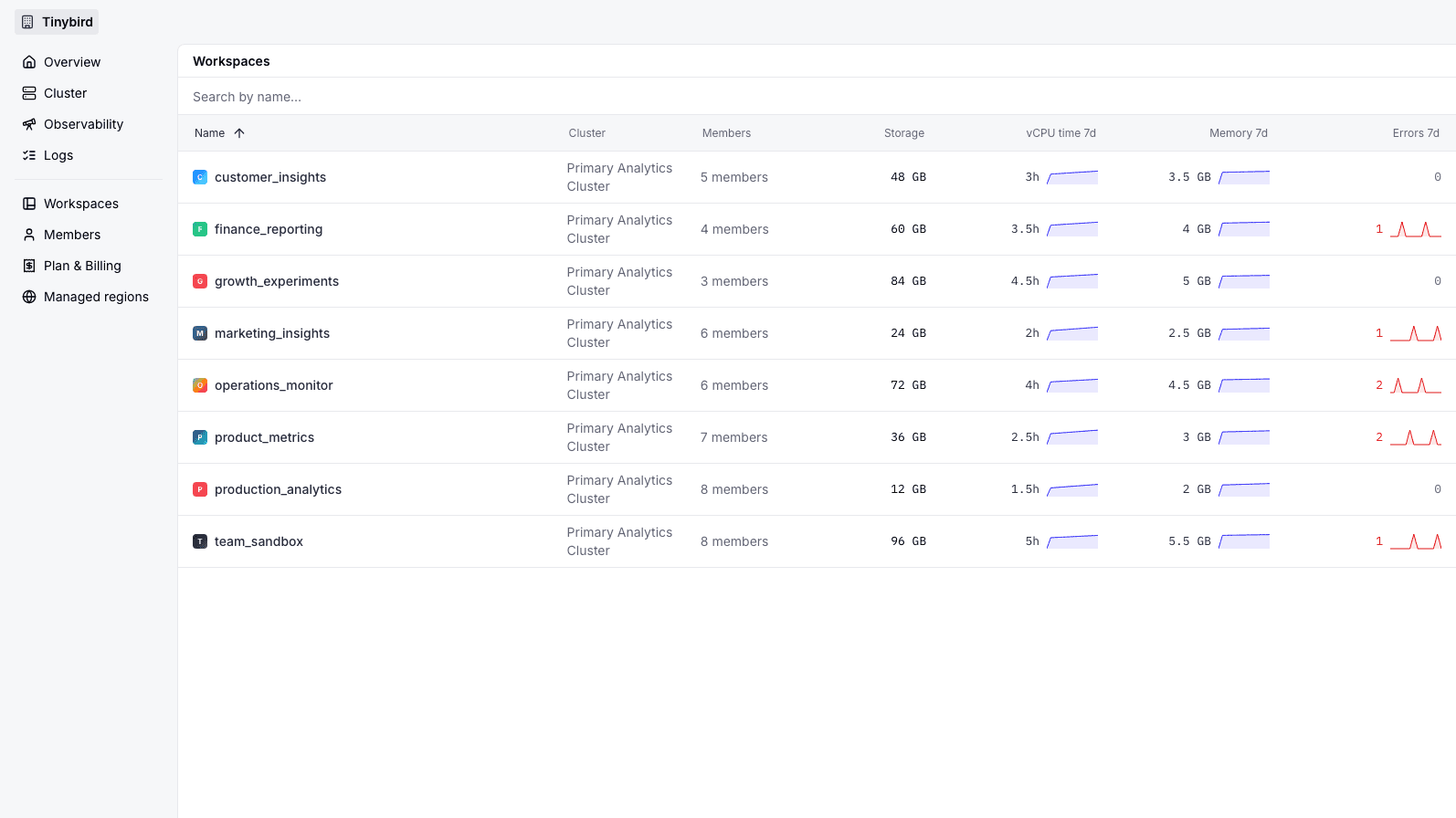
Search Workspaces and compare members, resources, storage, usage, errors, and infrastructure placement.
Create in the UI or CLI
Create a Workspace inside the Organization from the product UI or with tb workspace create.
Choose where it runs
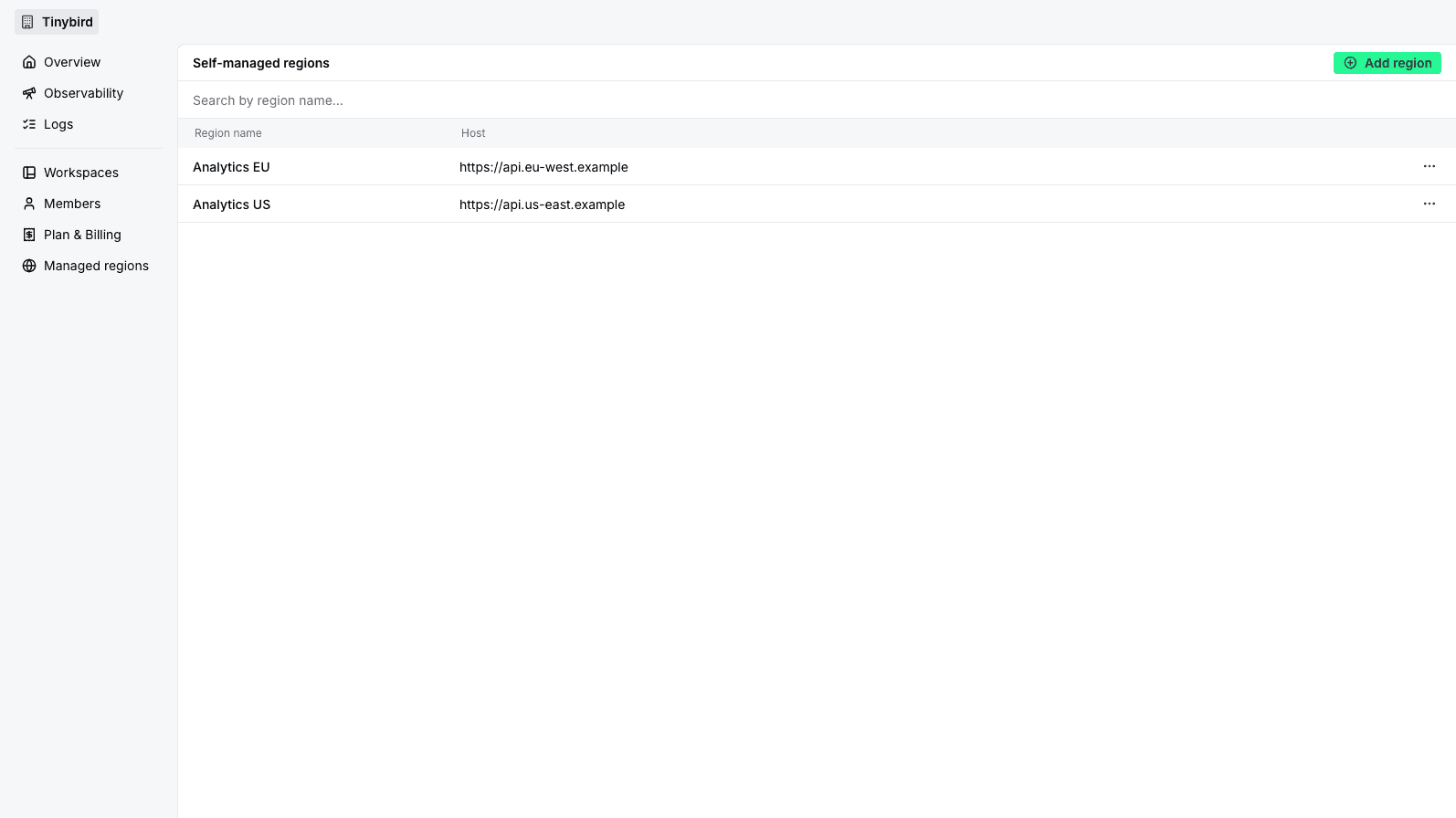
Select an available Tinybird region or Dedicated cluster. Any Organization can also attach and manage self-managed regions.
Understand usage
and spend
The view and available actions follow the Organization plan and your permissions.
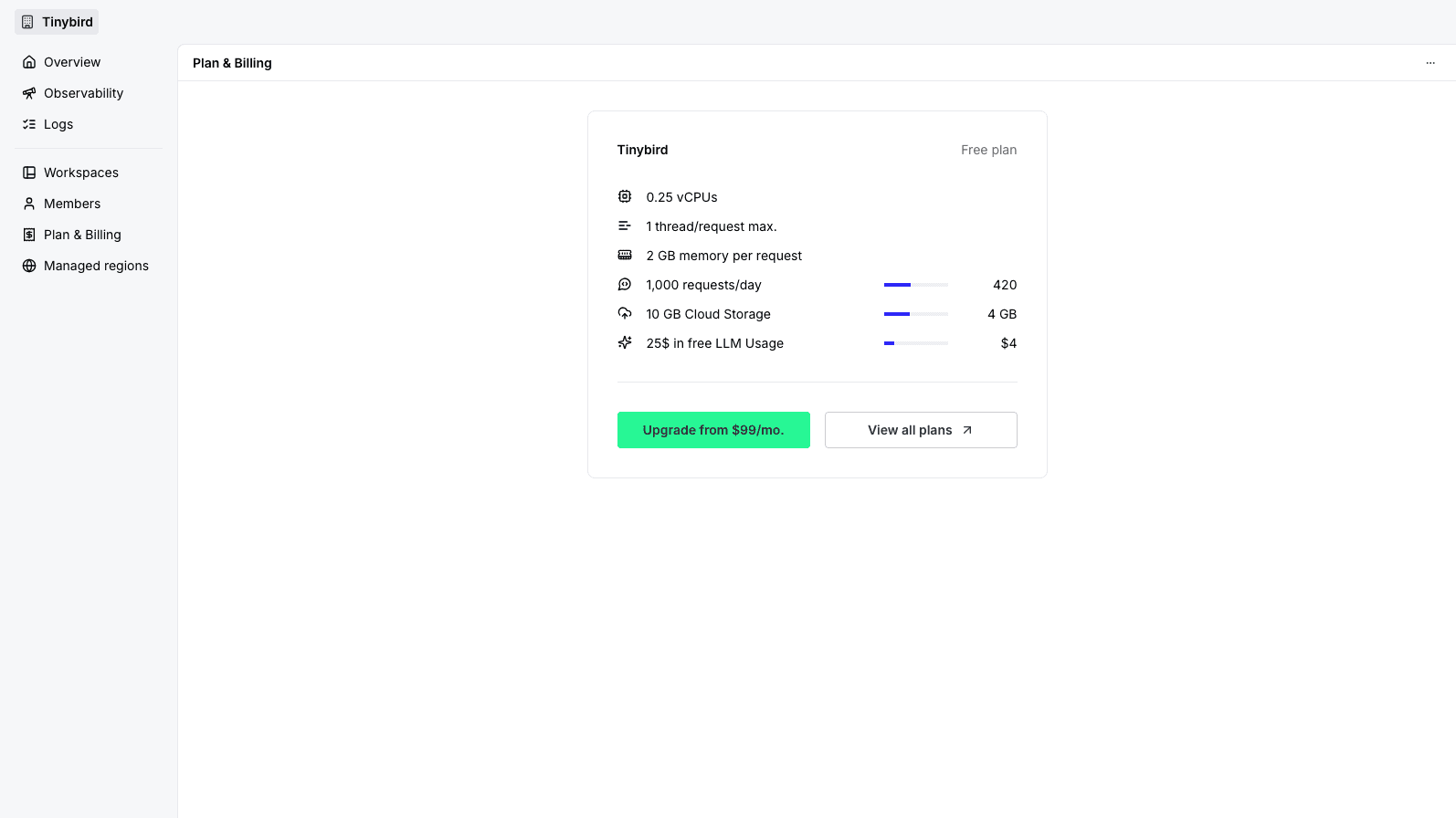
Plan and credit context
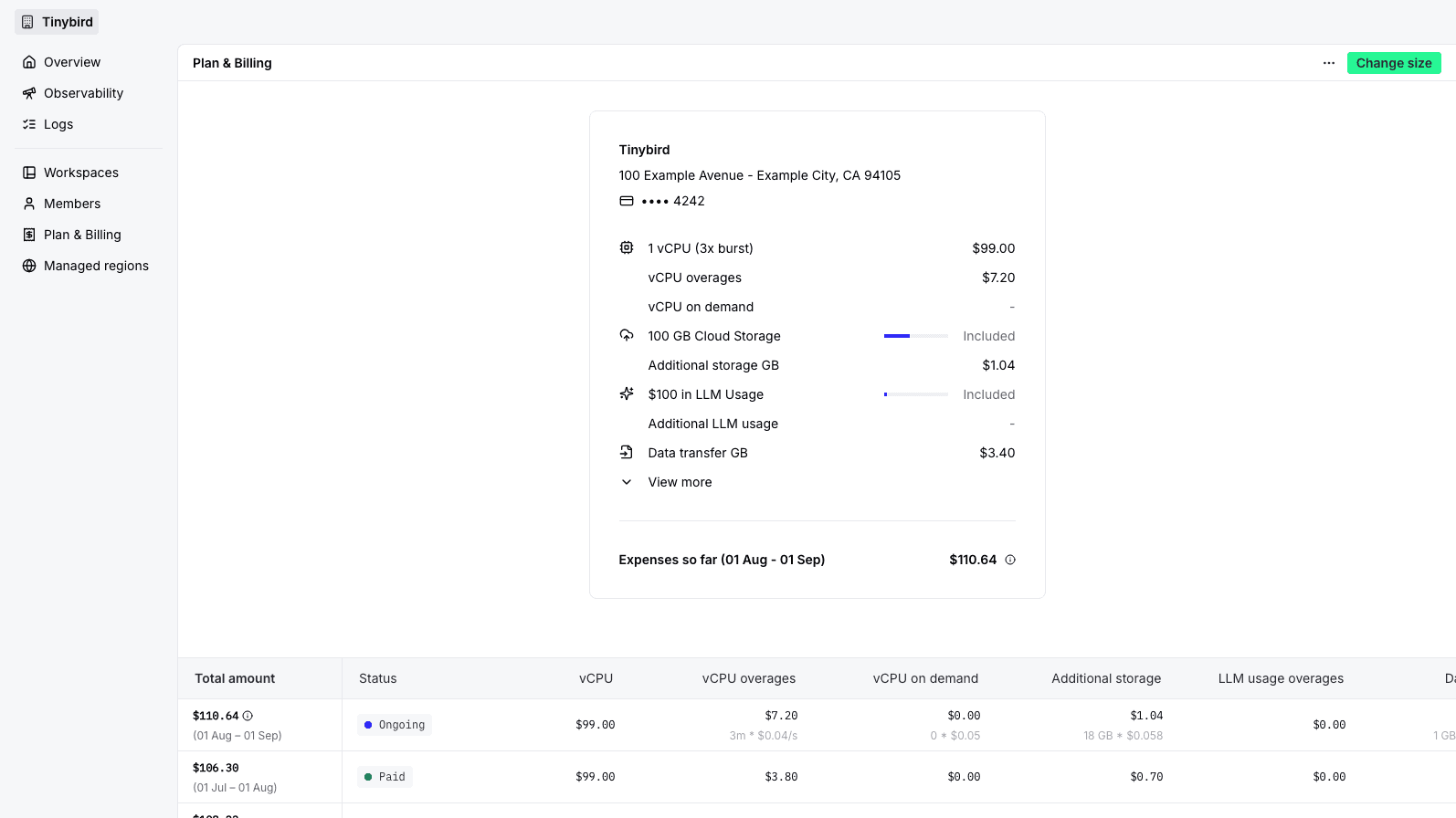
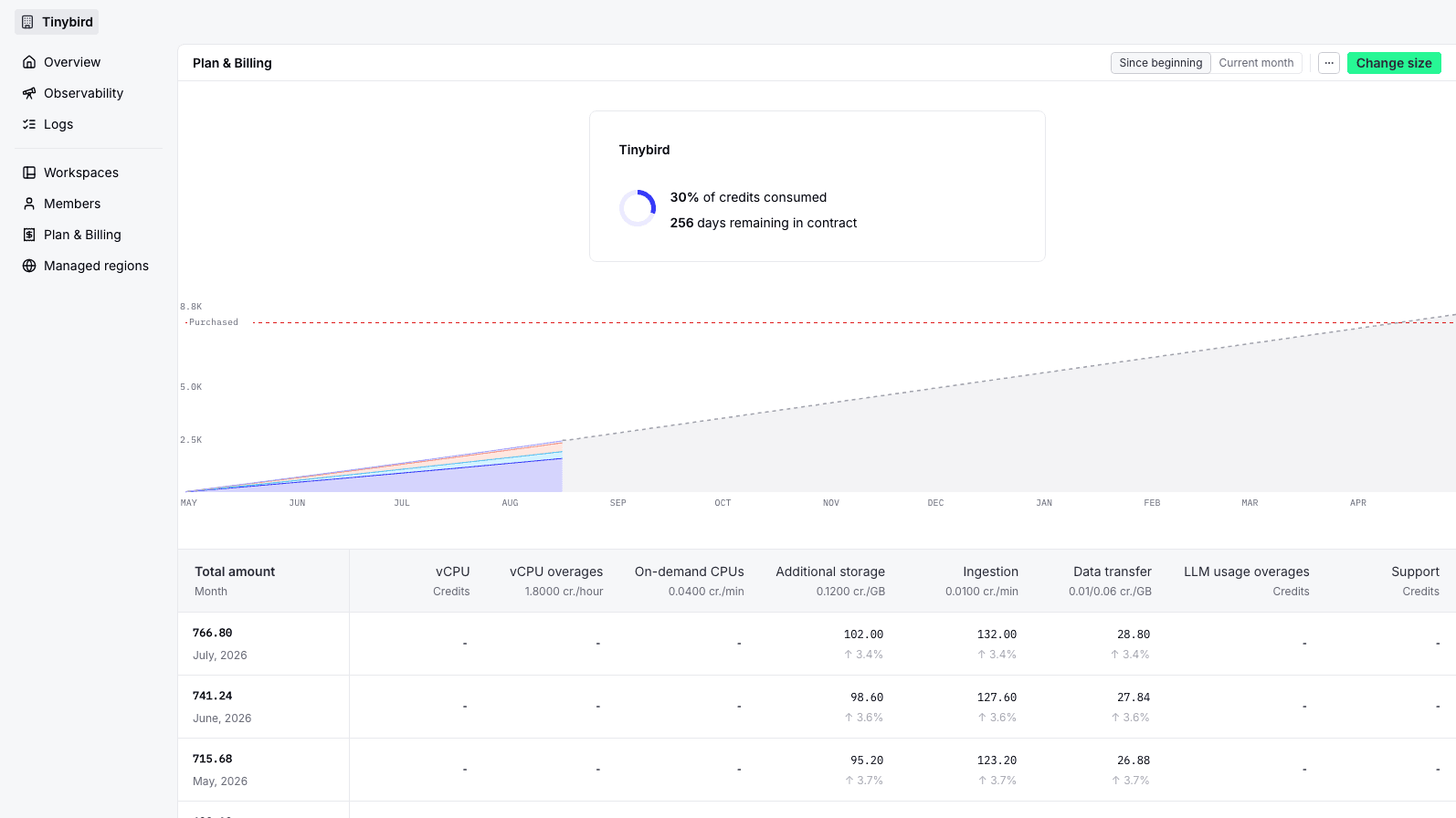
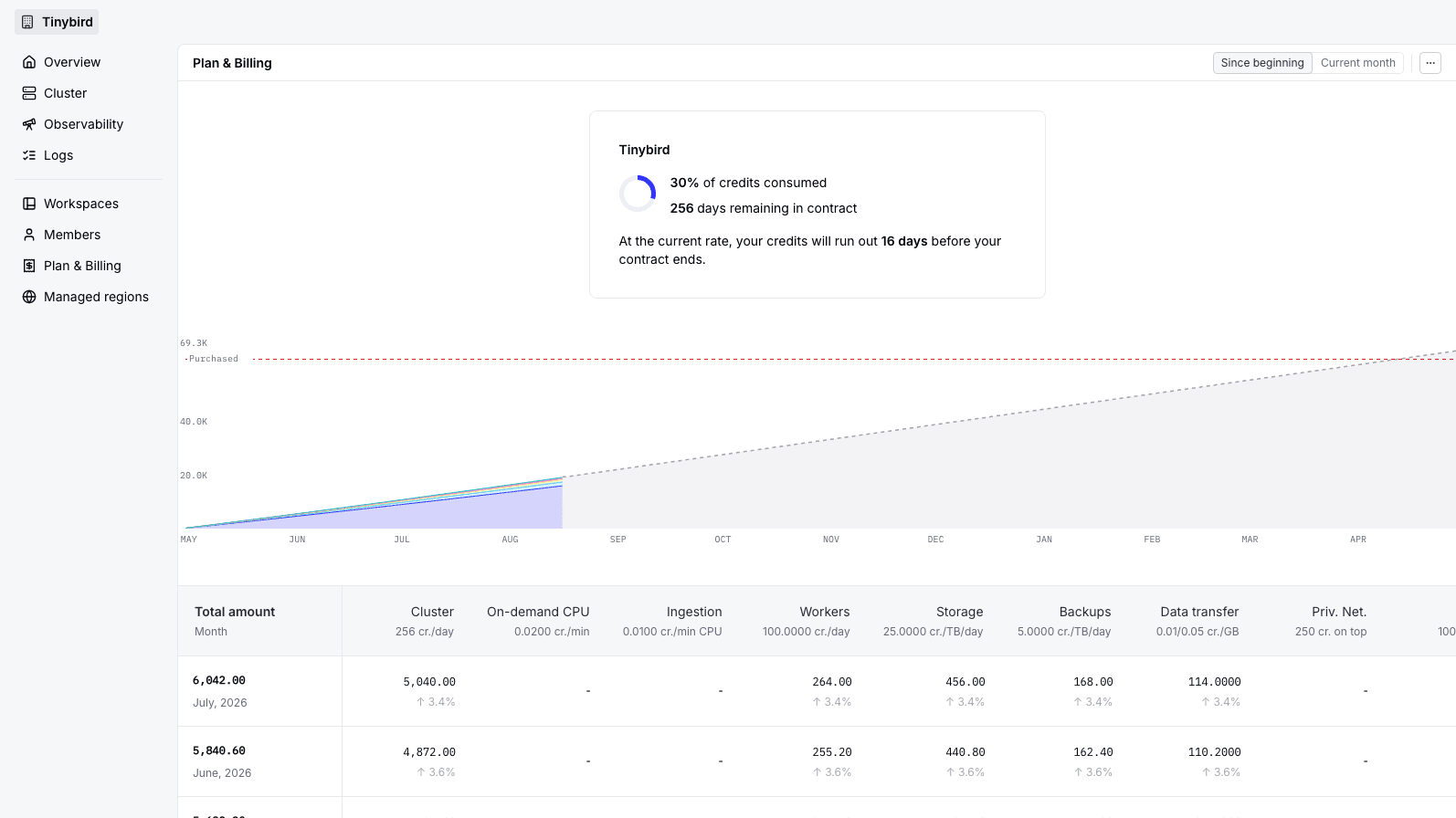
Review the current plan, included resources, credit balance, and contract context available to the Organization.
Usage allocation
Understand the usage dimensions relevant to your plan, including compute, storage, and data transfer.
Admin-only actions
Authorized Organization admins can review billing history and make the plan changes available to them.
Operate across Workspaces
Dedicated infrastructure adds cluster-level visibility and controls.
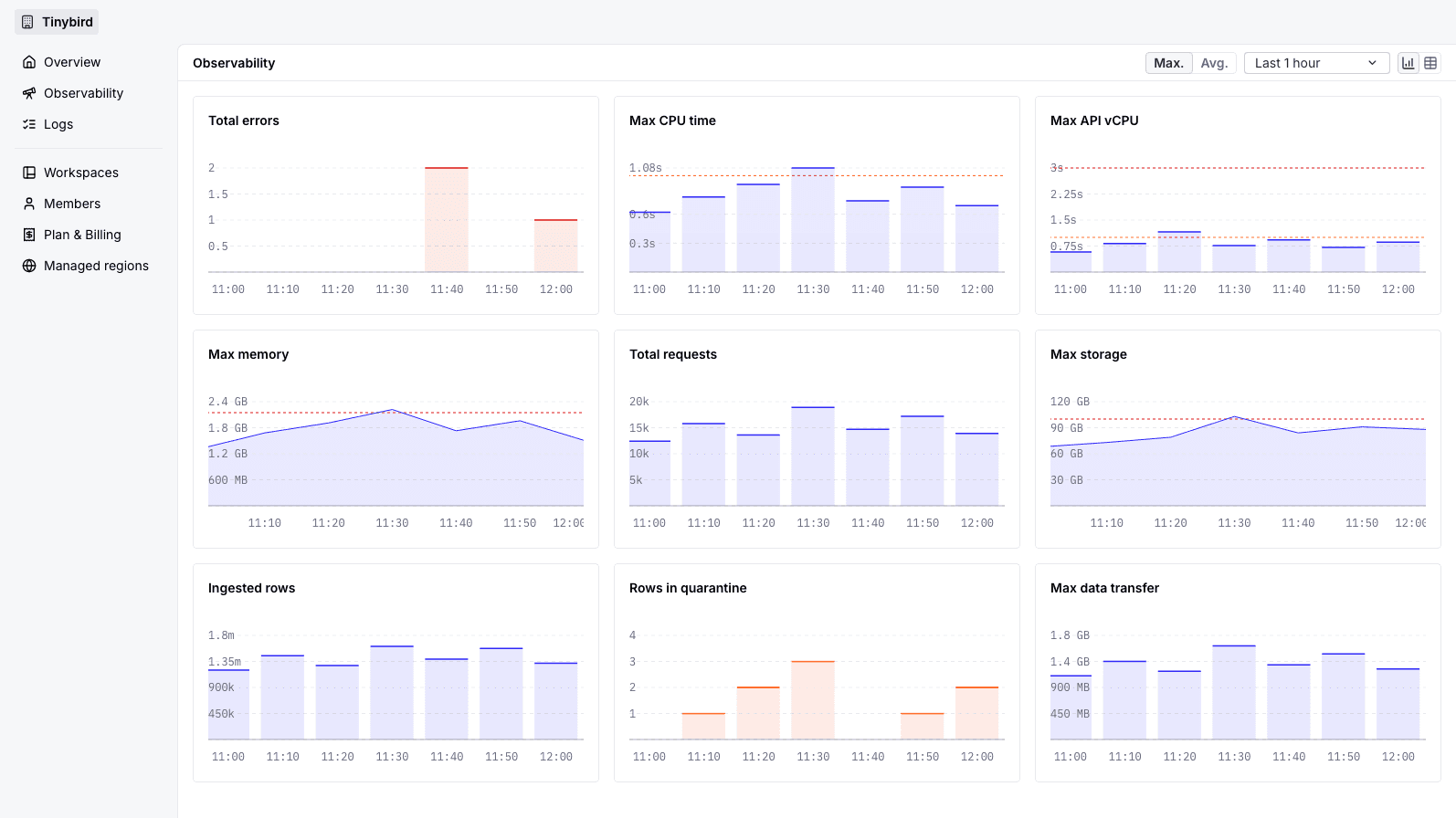
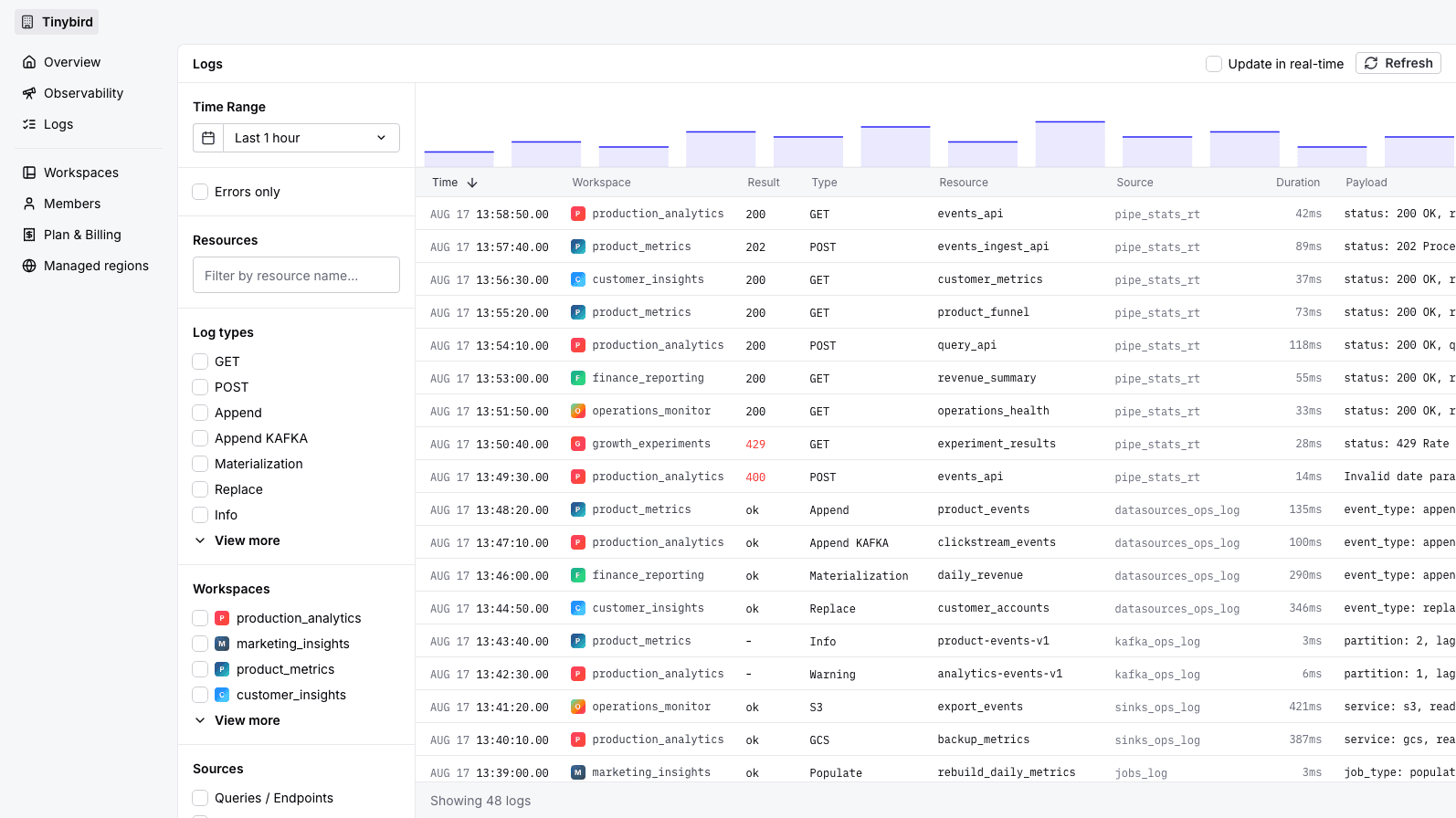
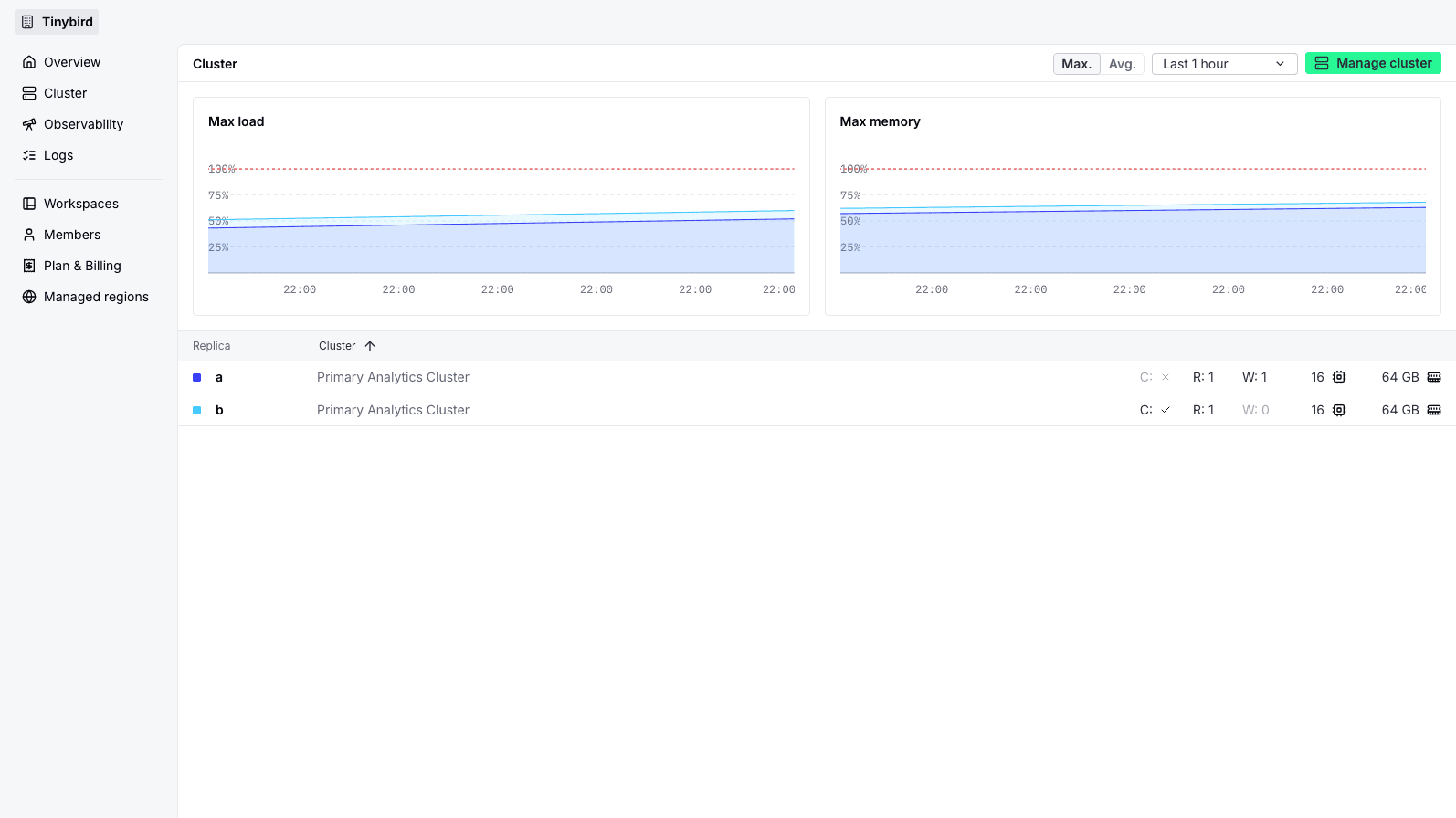
Review your Organization
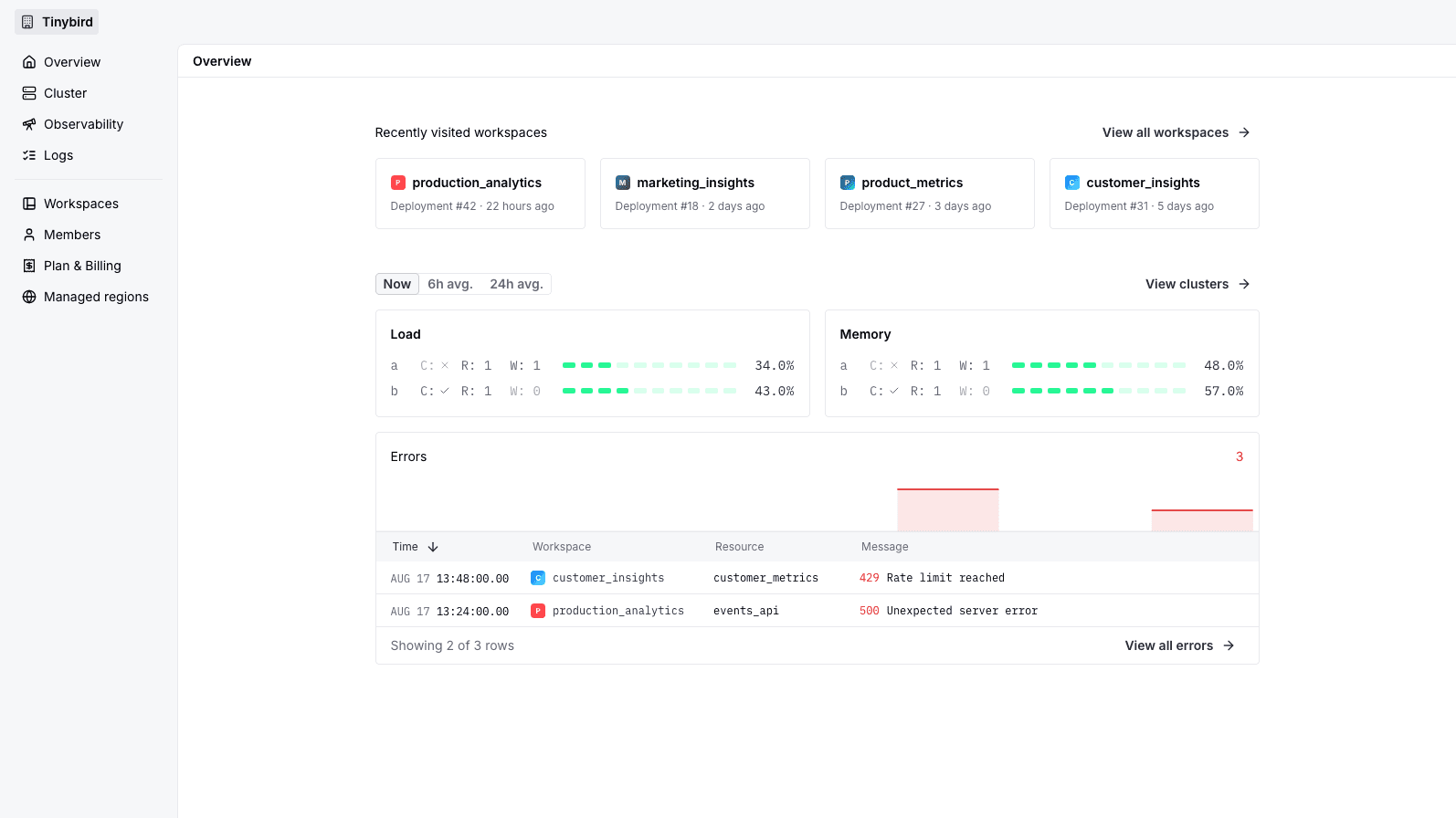
Review usage and recent errors across Workspaces before narrowing the investigation to one project or resource.
Search every Workspace log
Filter requests, ingestion, and job logs by Workspace, resource, status, error, and time range.
Go deeper on Dedicated
Dedicated infrastructure adds replica-level load and memory visibility plus eligible cluster capacity and workload controls.
Automate with CLI,
API, and service data
# Create a Workspace in your Organization
Security and administration
Keep visibility broad and management controlled
Role boundaries
Separate Organization administration from the Admin, Guest, and Viewer roles assigned inside each Workspace.
Read about OrganizationsScoped Tokens
Use static Tokens with documented scopes, including ORG_DATASOURCES:READ for Organization Service Data Sources.
Read about static TokensEnterprise identity and trust
Connect Organization governance to the identity, compliance, and security controls available to your plan.
Explore securityFAQs
Are Organizations available on every plan?
Yes. Free, Developer, SaaS, and Enterprise use the same Organization model. The metrics and infrastructure controls available in Organization settings depend on the plan.
What is the difference between an Organization and a Workspace?
A Workspace contains project resources, data, tokens, branches, and deployments. Its Organization governs the plan, billing, membership policy, and the regions or clusters where Workspaces can run.
Can I monitor every Workspace together?
Yes. Organization Observability and Logs aggregate signals across Workspaces and let you filter down to one Workspace or resource.
Can I monitor the health of Shared infrastructure?
Shared plans expose workload usage, errors, and logs for your Organization. Tinybird operates the underlying Shared infrastructure. Replica and hardware-level metrics are available with Dedicated infrastructure.
Who can manage members and billing?
Organization admins manage Organization membership, Workspace roles, paid billing details, and eligible plan changes. Regular members have a limited view based on the Workspaces they can access.
Who can change a Dedicated cluster?
Eligible Enterprise Organizations can expose cluster controls to authorized administrators. Tinybird continues to operate and monitor the underlying platform while your team controls supported capacity and workload changes.
What are Managed regions?
Managed regions are self-managed regions attached to an Organization. The page lists the self-managed regions where the Organization has Workspaces. It is not the standard Tinybird cloud-region selector.
Which Token scope reads Organization Service Data Sources?
ORG_DATASOURCES:READ grants a static Token read access to Organization Service Data Sources. Create and manage the Token with the Tinybird CLI or API.
Can users belong to multiple Organizations?
Yes. Every Workspace belongs to one Organization, while a user can belong to multiple Organizations.

Make the most of your Organization
- Learn about members, roles, and Workspace access.
- Structure projects and environments with Workspaces.
- Build Organization-wide monitoring with Service Data Sources.
- Automate supported operations with the Organizations API.